AllergenLens blog: features and guides
Features
One feature per article: what it does, how to use it and its limits.
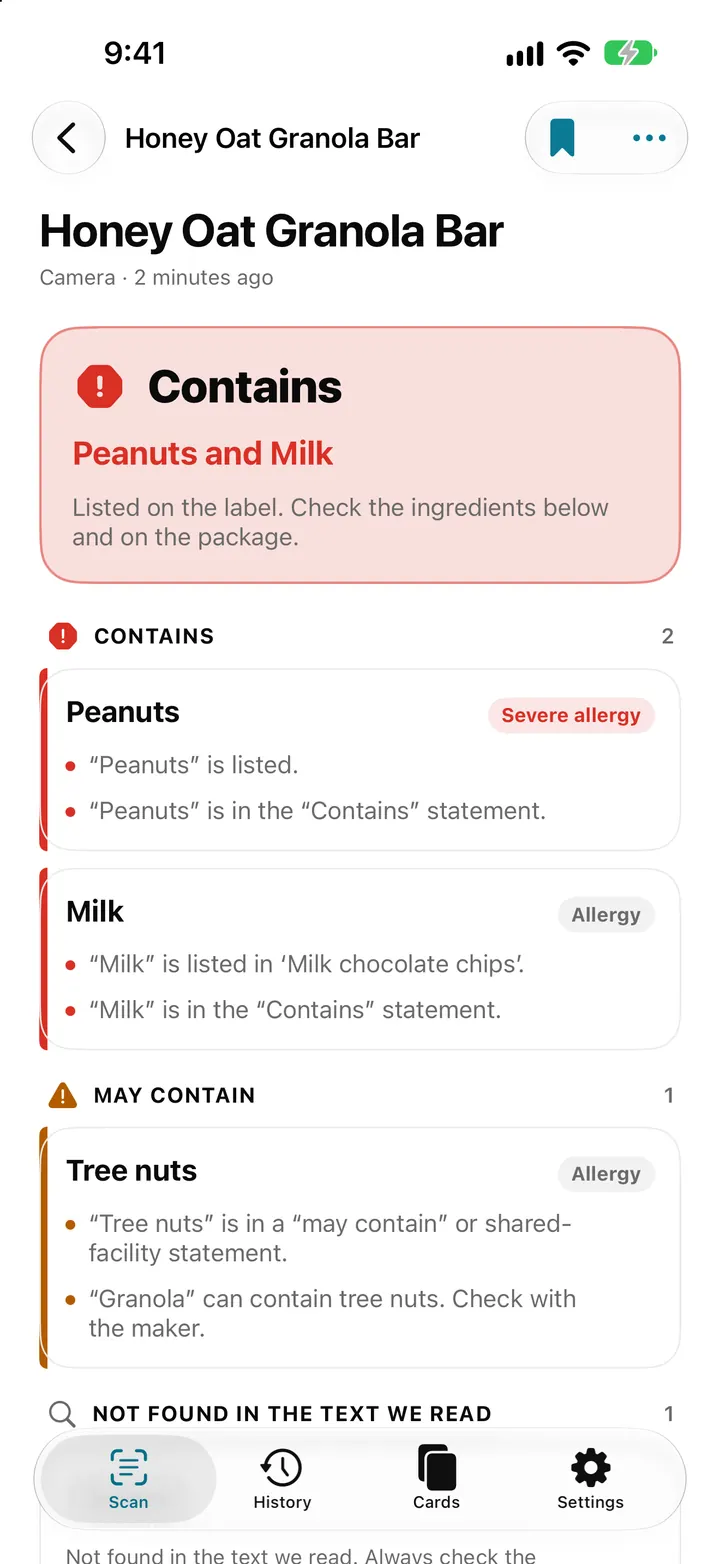
Scan an ingredient label with your iPhone: how AllergenLens checks it
Point your iPhone at an ingredient list and AllergenLens shows Contains, May contain or what it couldn't read for your allergies and diet, all on the device.
Read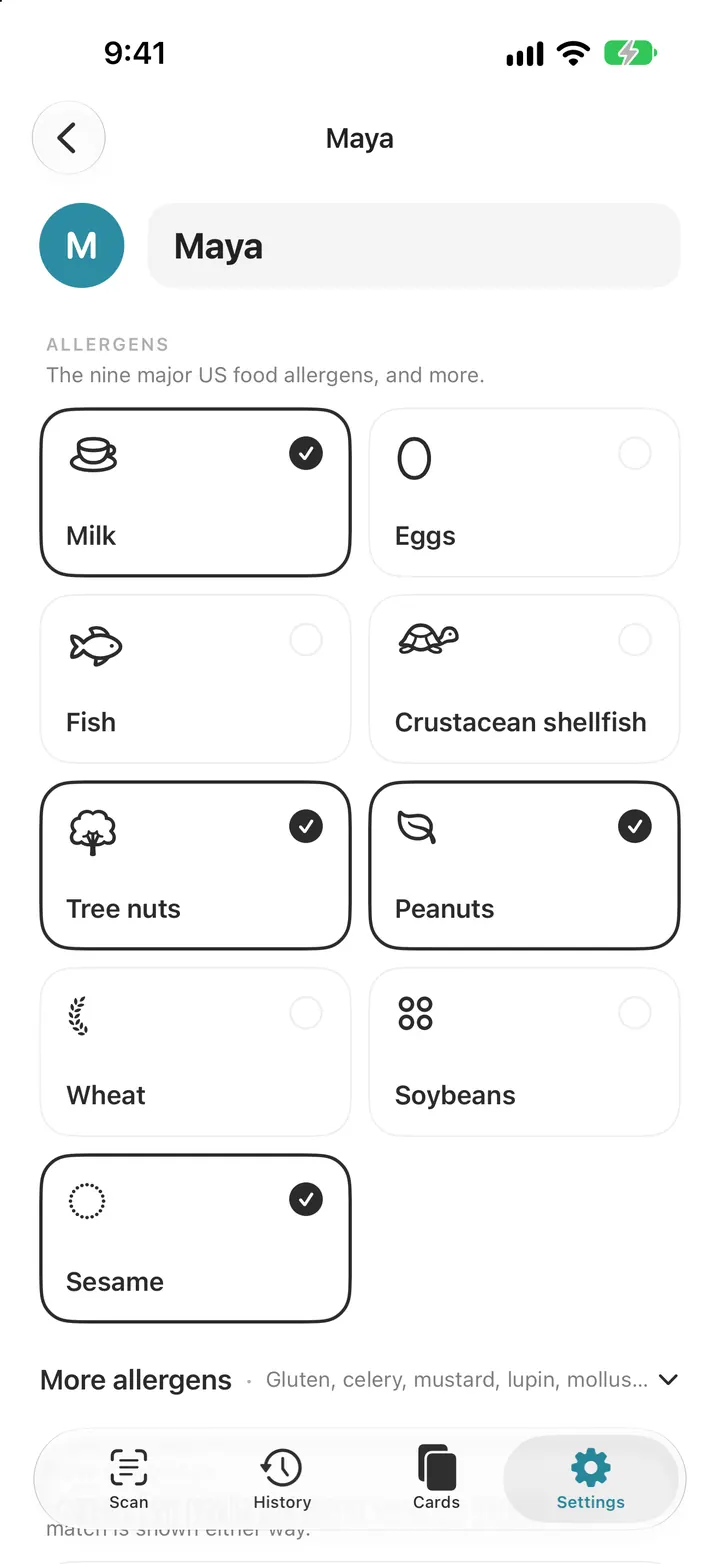
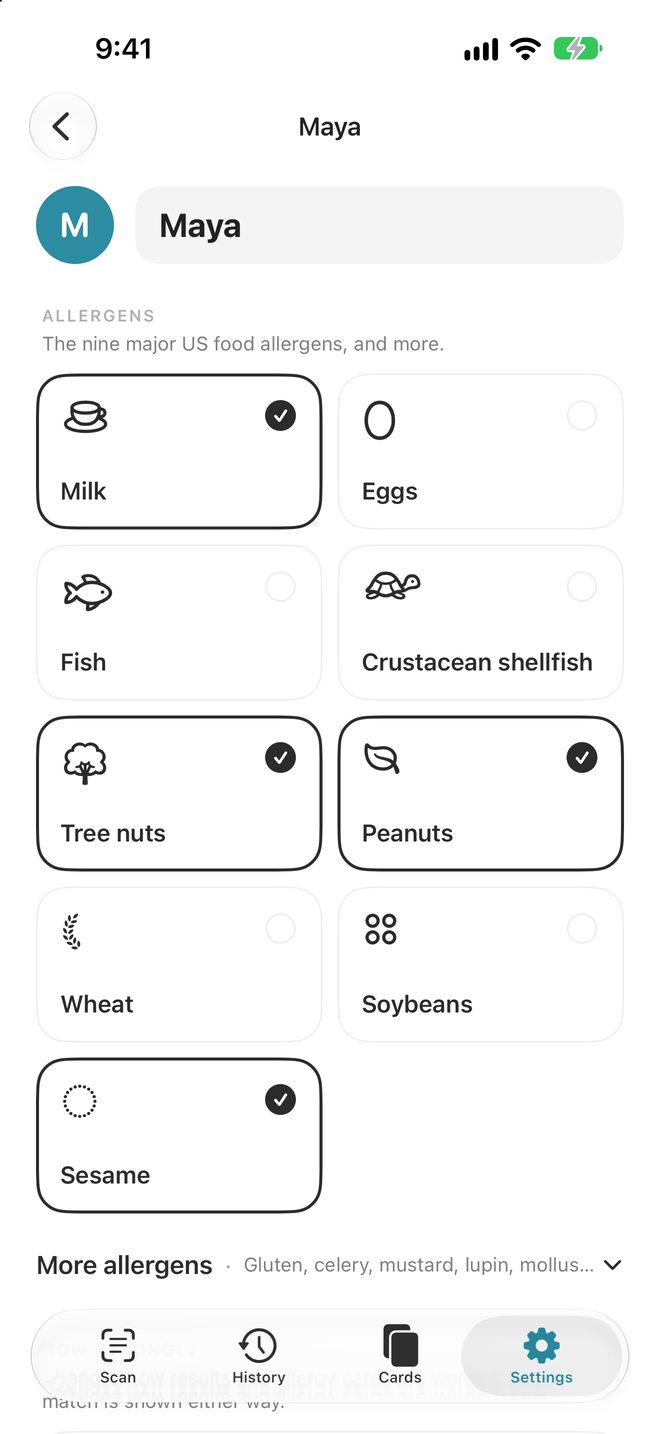
Set up your allergy profile: 14 allergens, diets and your own ingredients
Pick from the FDA nine and EU fourteen allergens, add a diet, set how strongly you react and add your own ingredients. Every AllergenLens scan checks this list.
Read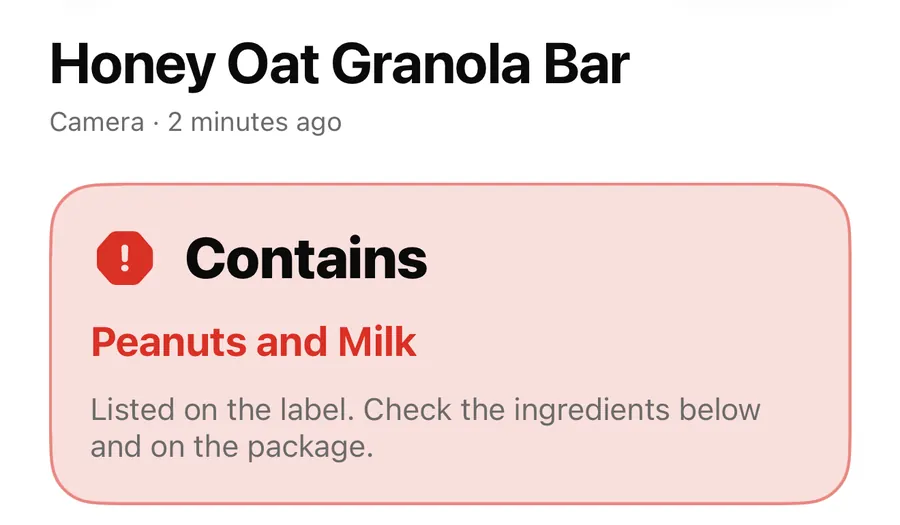
Contains, May contain, Couldn't read clearly: AllergenLens results explained
What each of the four AllergenLens result states means, how the card at the top is chosen, and what the app tells you when part of a label couldn't be read.
Read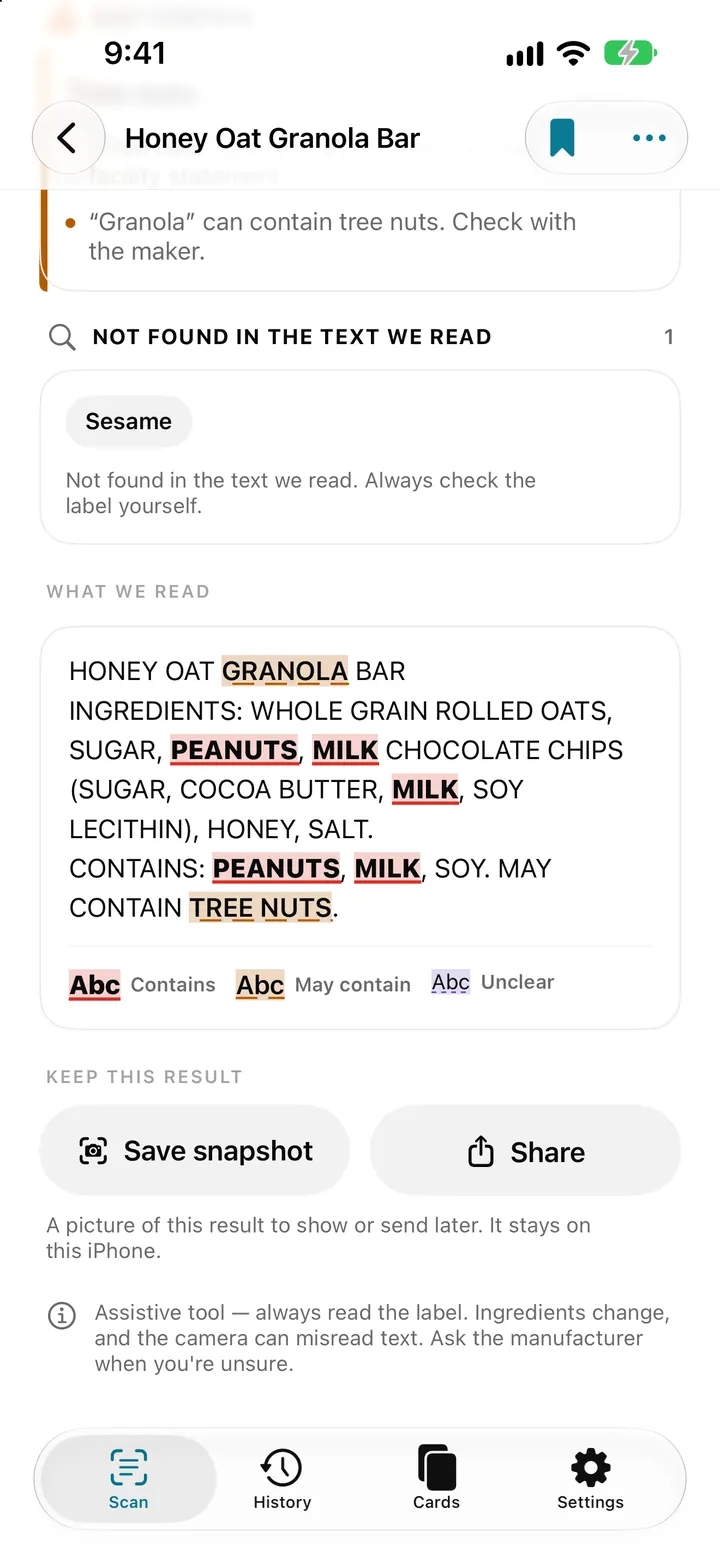
See every match on the label: highlights, Show on photo and Read aloud
AllergenLens marks each match in the text it read and on your label photo, so you can check it against the pack, then save a snapshot or hear it read aloud.
Read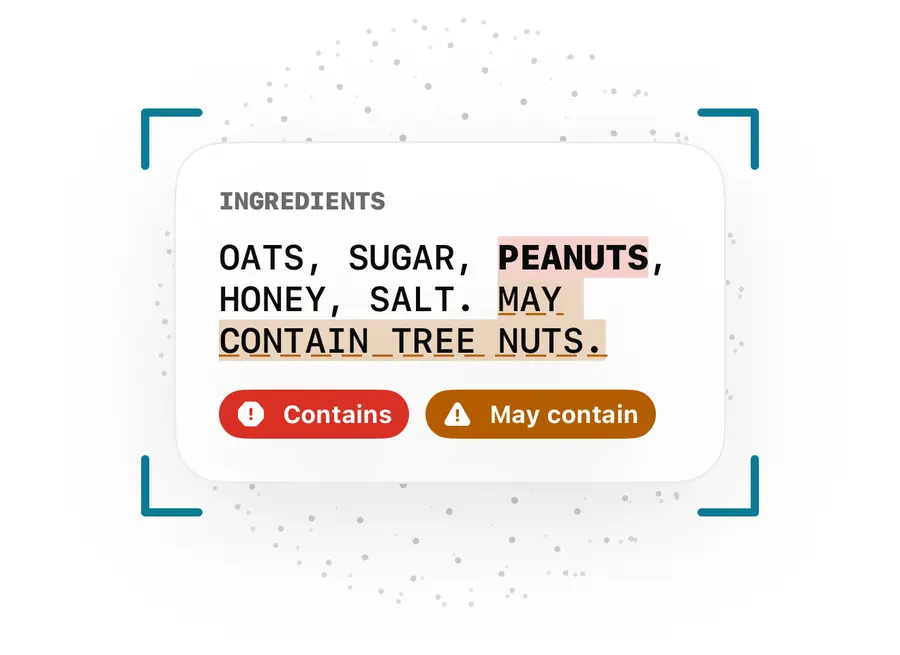
May contain, Contains lines and free-from claims: how AllergenLens reads them
How AllergenLens handles may contain and shared-facility warnings, the Contains line, ingredients that can come from an allergen, and free-from claims.
Read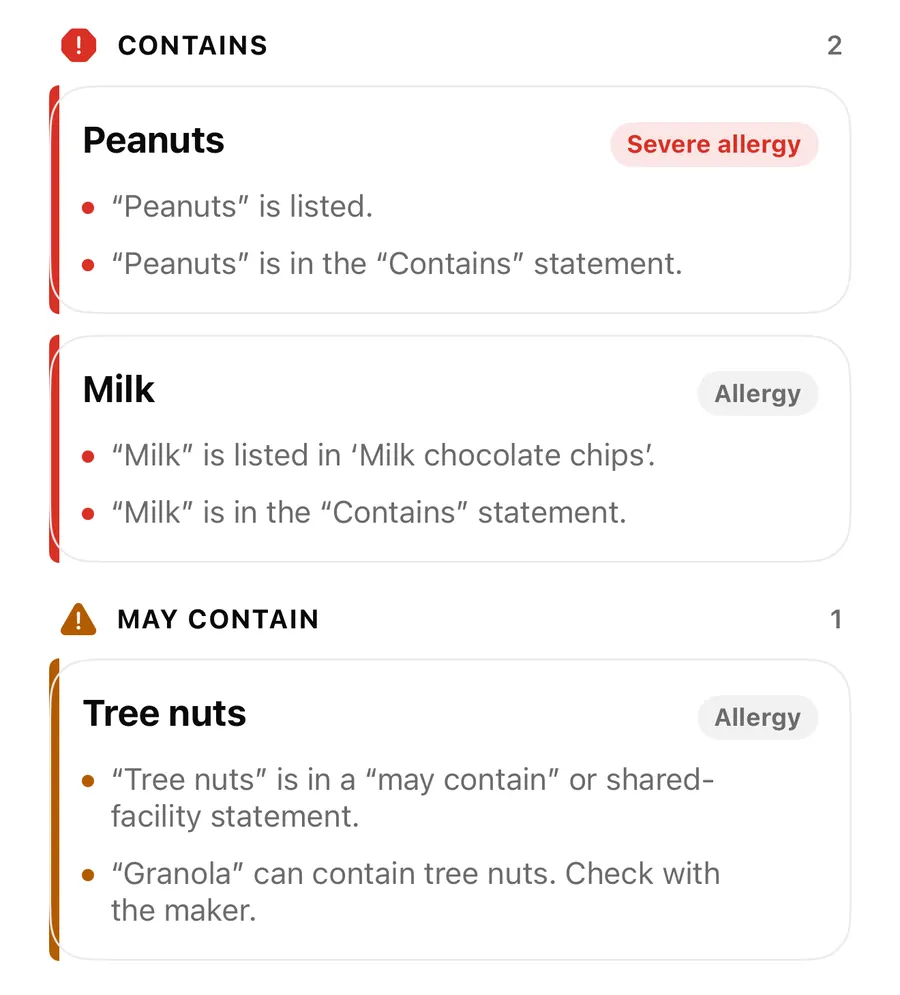
Long and curved labels: check one ingredient list from several photos
When an ingredient list wraps around a bottle or runs onto another side of the pack, add photos in AllergenLens and it checks all of them together as one list.
ReadCamera, flashlight, photo import and typed text in AllergenLens
Live preview chips, tap to focus, focus lock, the flashlight, blurry photo warnings, photo import and typed text: every way to get a label into AllergenLens.
Read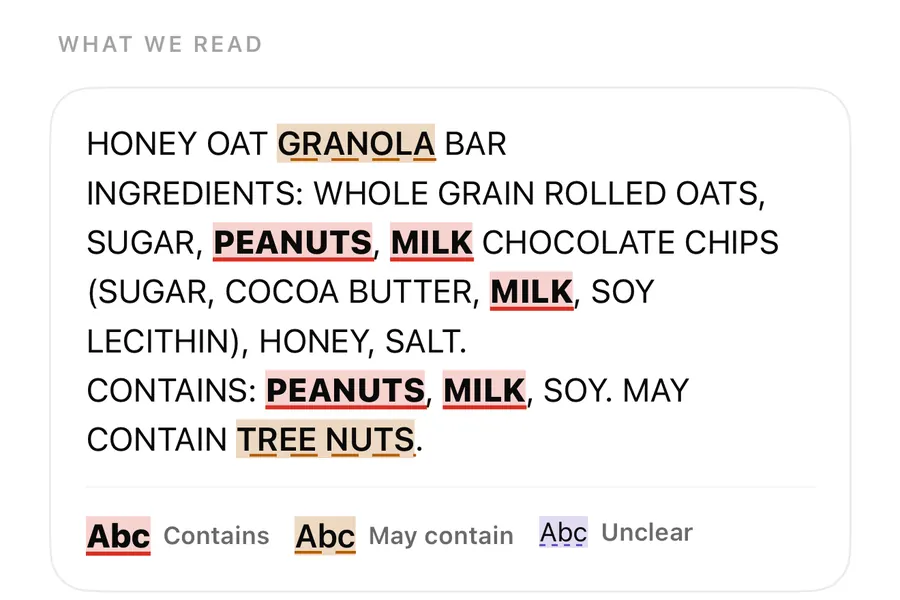
Foreign-language ingredient labels: which languages AllergenLens reads
AllergenLens reads ingredient lists in nine European languages, matches allergen names from all of them, and tells you when part of a label was skipped.
ReadE-numbers, other names and unclear words in AllergenLens
How AllergenLens reads E-numbers like E322 and E1105, explains what an additive can be made from, and marks misread or unknown words as Unclear to check.
ReadExplain in plain words: Apple Intelligence explanations in AllergenLens
On iPhones with Apple Intelligence, AllergenLens can explain a finding in plain words, on the device, marked AI-generated and based only on the reason shown.
Read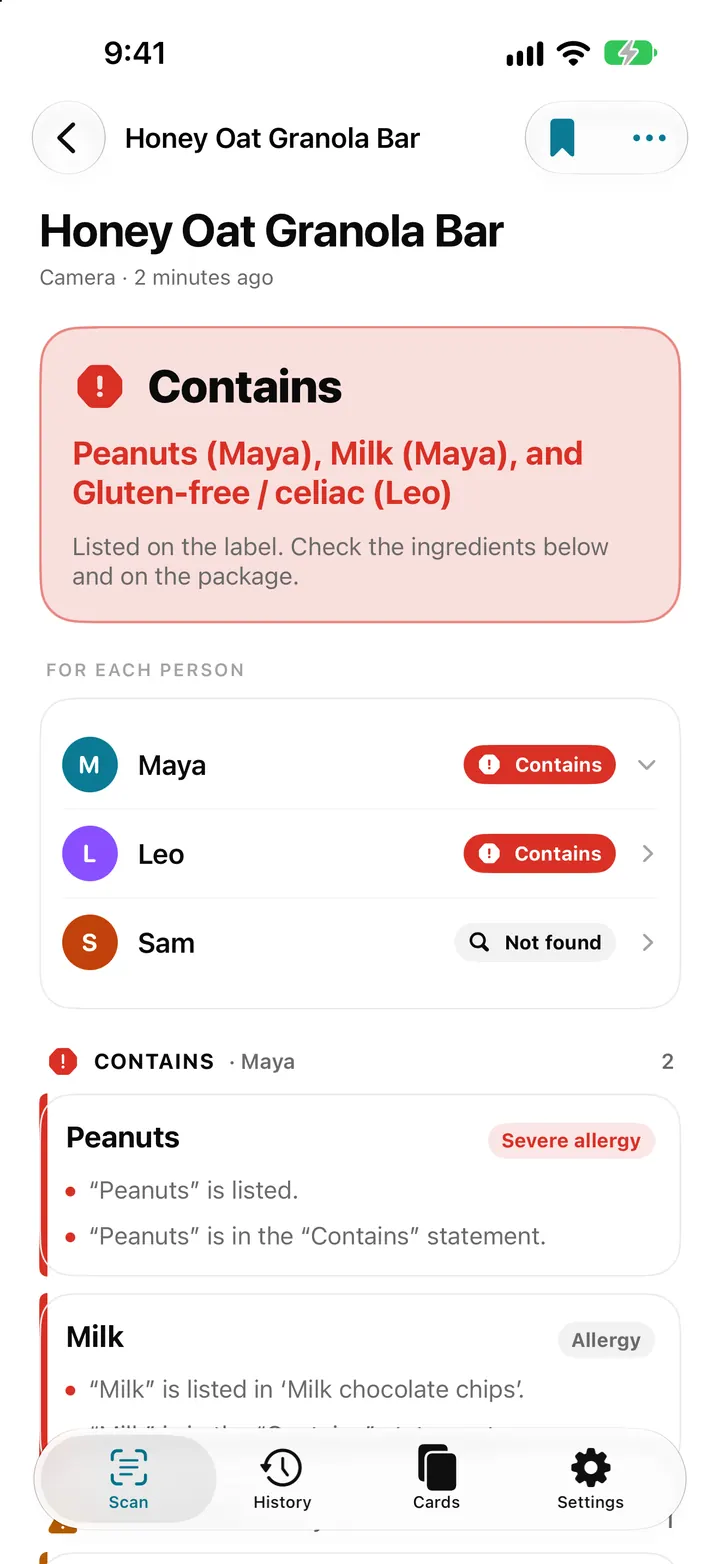
Whole family mode: check one label for everyone in AllergenLens
With AllergenLens Plus, keep up to 6 family profiles and check every scan for the whole family at once, with a separate result for each person you shop for.
Read
Travel allergy card on your iPhone: show staff what you can't eat
AllergenLens turns your allergy profile into a full-screen card in 9 languages that works offline, so you can show restaurant staff what you can't eat abroad.
Read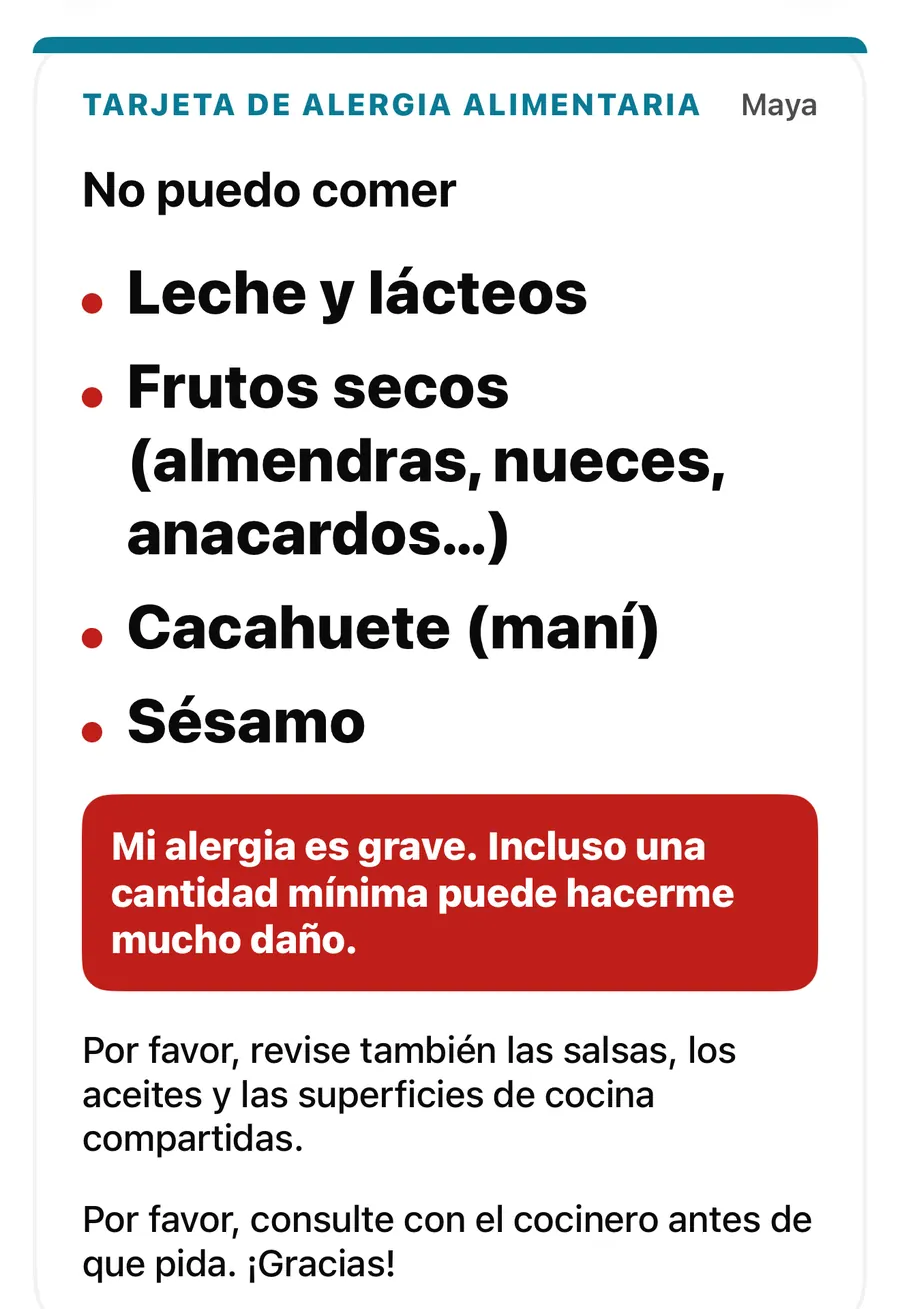
Allergy card extras: a note for staff, image and PDF export, and a widget
Add a note for staff in your own words, export your AllergenLens allergy card as an image or PDF, keep it on your iPhone and open it from a Home Screen widget.
Read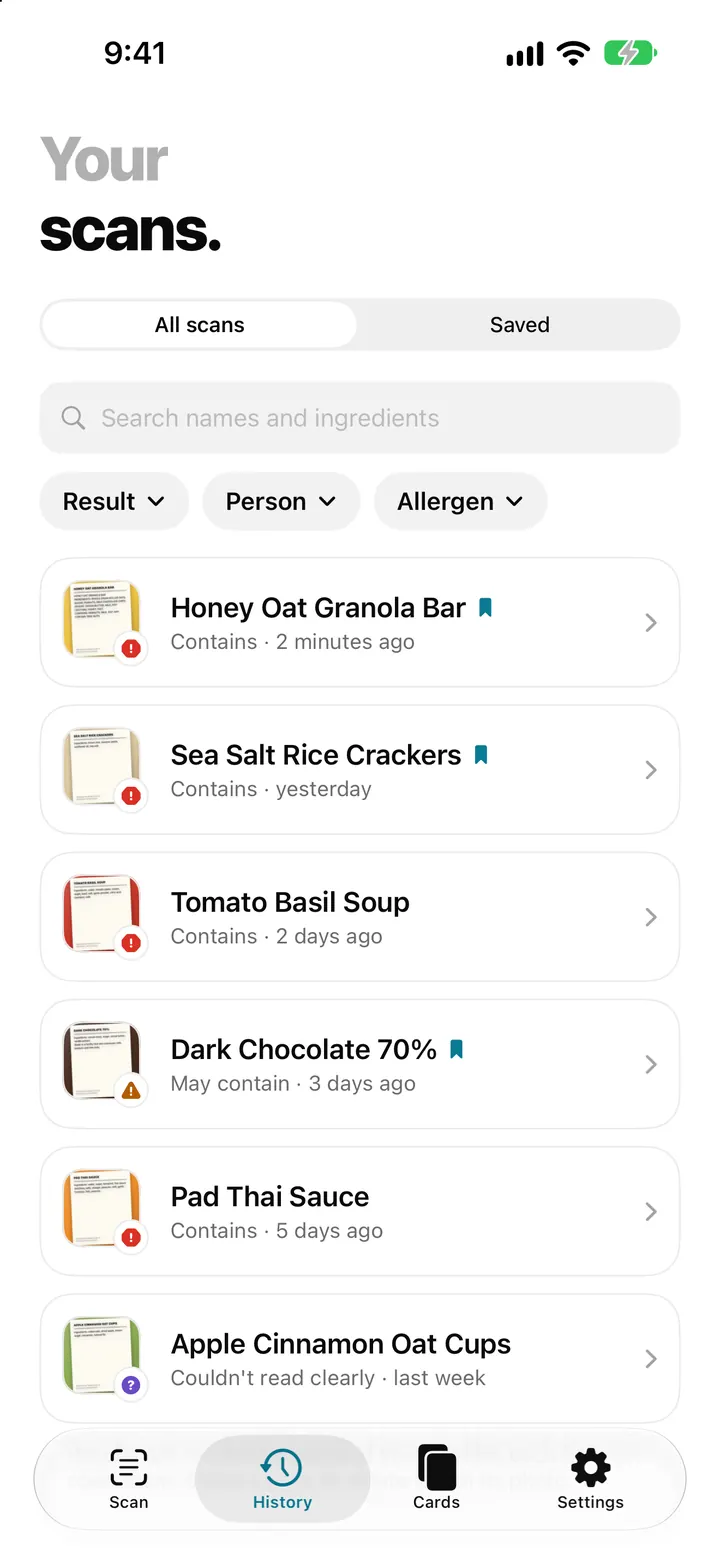
Scan history and saved products: find a label you checked before
AllergenLens keeps your scans on your iPhone, lets you save products you buy often, finds them by barcode and re-checks them whenever your profiles change.
Read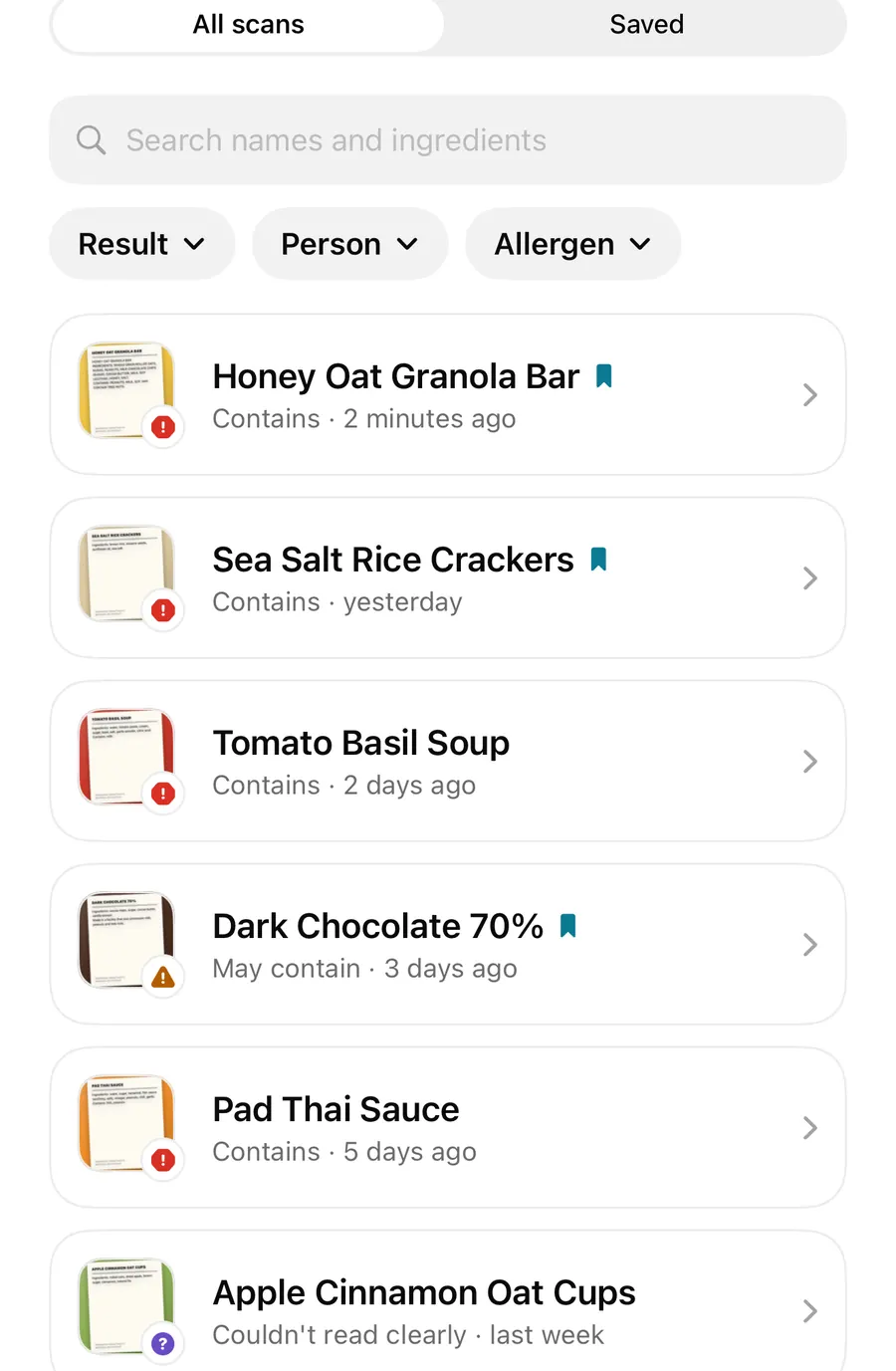
Recipe change alerts: re-scan a product and see what changed on the label
Scan a product you checked before and AllergenLens compares the new ingredient list with your last scan, showing allergens that appeared, moved or dropped off.
ReadAllergen word list updates: how AllergenLens re-checks your saved scans
AllergenLens matches labels against a versioned allergen word list. When an update brings a new list, kept scans are re-checked and changed results are marked.
Read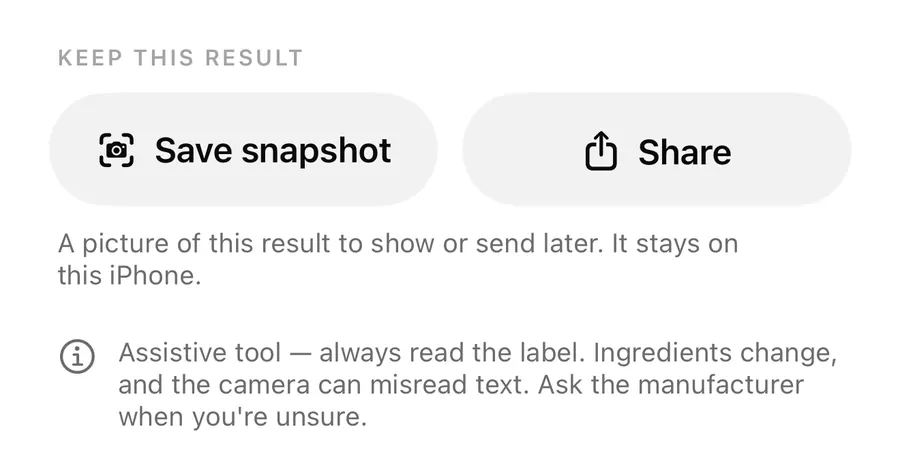
Share an AllergenLens result, save a snapshot or report a missed allergen
Save a picture of an AllergenLens result, share it with family or a carer, and tell us about a missed or wrong allergen with an email you check before sending.
ReadAllergenLens with Siri, Shortcuts, Visual Intelligence and a widget
Start a label scan with Siri, check copied ingredient text in Shortcuts, send a picture from Visual Intelligence and keep your allergy card on the Home Screen.
Read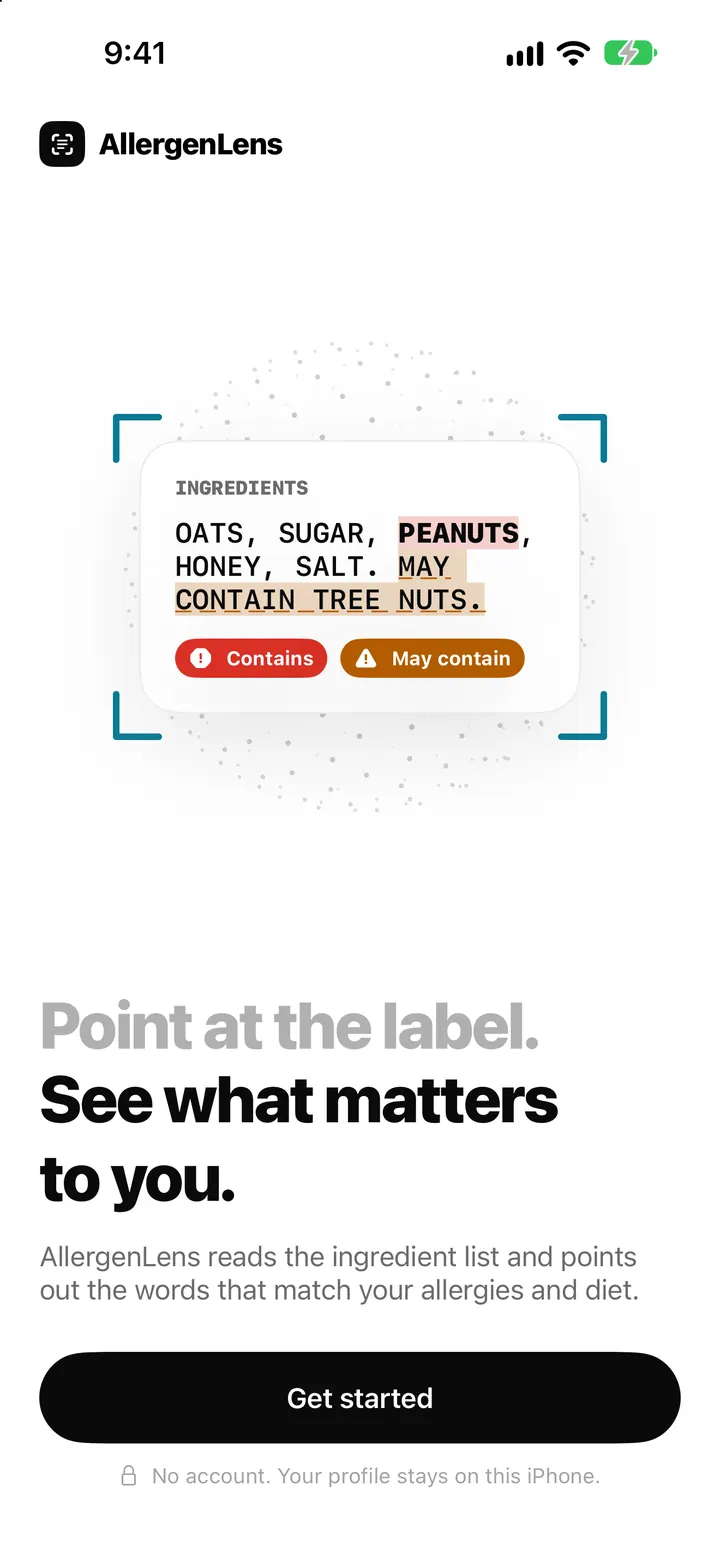
AllergenLens privacy: labels read on your iPhone, no account, no server
AllergenLens reads labels on your iPhone, keeps profiles and photos on the device, needs no account, and lets you turn off usage stats or erase it all at once.
Read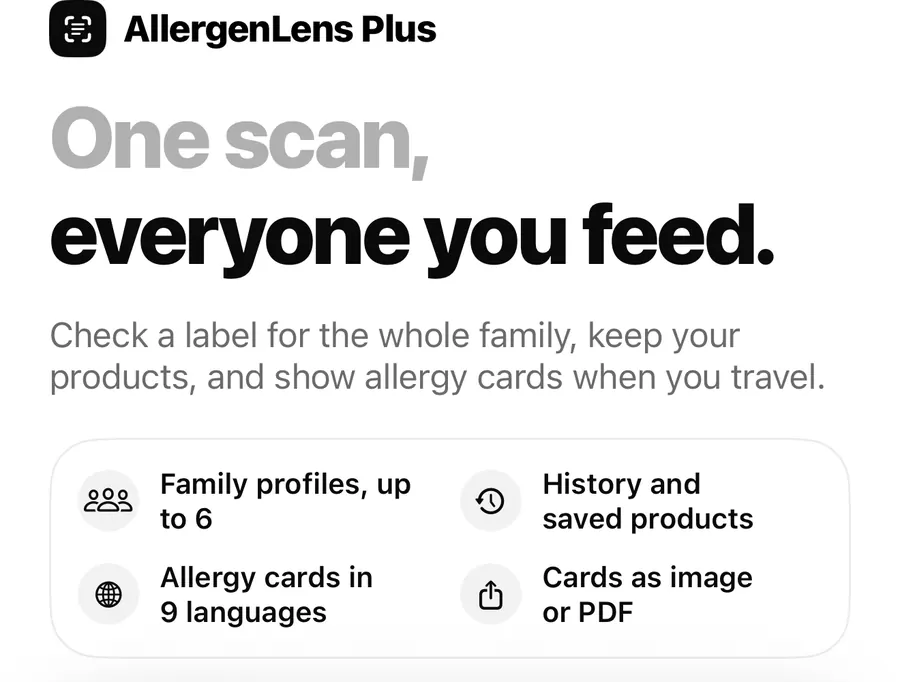
AllergenLens Free vs Plus: what every plan includes
Every AllergenLens warning is free with unlimited scans. Plus adds family profiles, scan history, saved products and travel allergy cards. Here's the full list.
ReadGuides
 allergy profile review
What are the accuracy boundaries of an allergen label scanner?
Understand AllergenLens image, OCR, coverage and profile limits so a scan remains a second check rather than a safety decision.
Read guide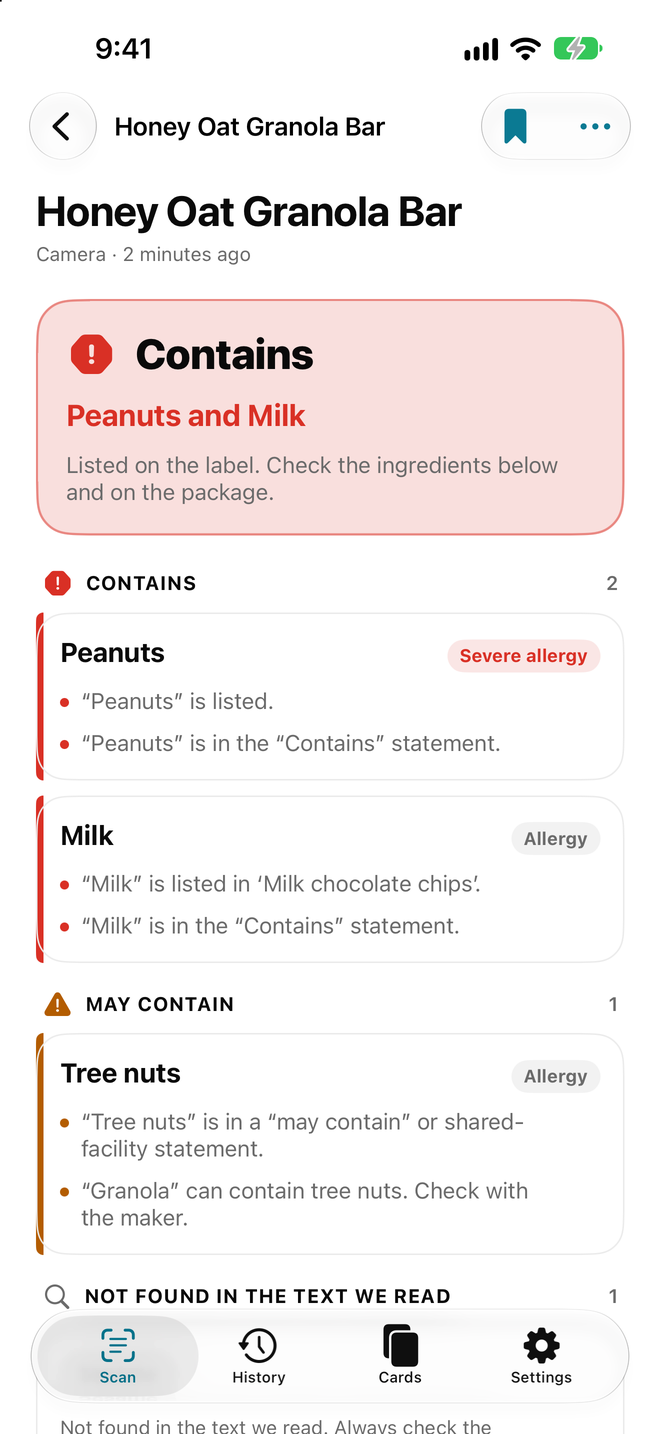 ingredient scan
AllergenLens accuracy FAQ
Answers about AllergenLens OCR, coverage, “not found”, image quality, profiles and why labels still require human review.
Read guide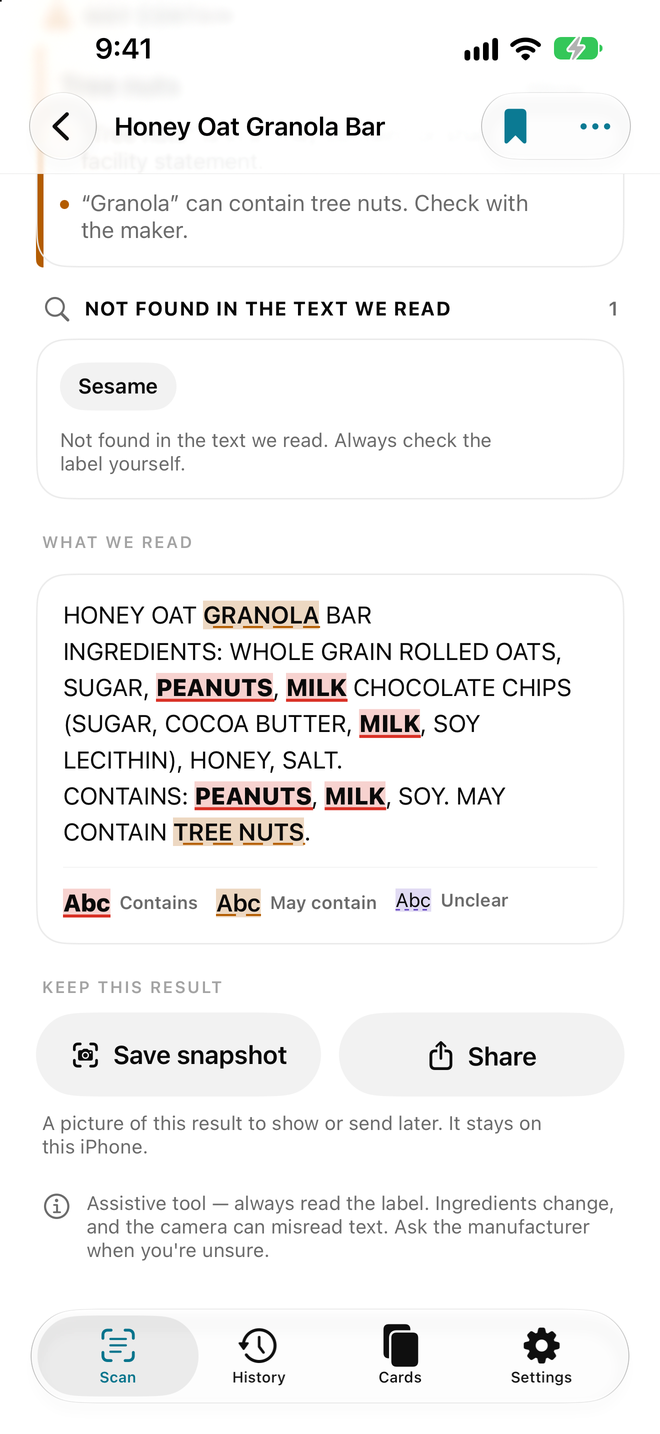 contains and warning results
Preparing allergy phrases for international travel
Prepare short, clear allergy phrases for an AllergenLens travel card and use them with restaurant questions abroad.
Read guide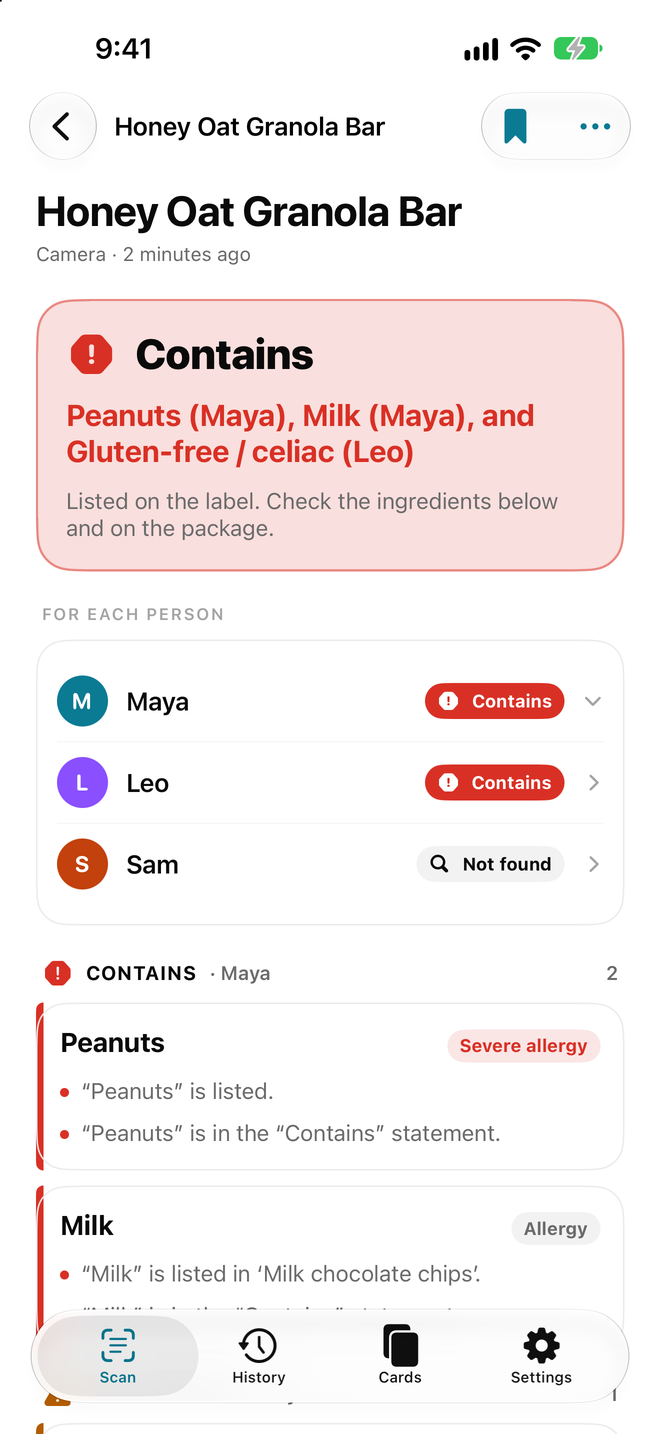 travel card
Why turn off anonymous usage statistics in AllergenLens?
Understand anonymous usage statistics, check the AllergenLens setting and distinguish technical data from an allergy profile.
Read guideingredient scanCan AllergenLens Decide What You Should Eat?
Learn the limits of AllergenLens when reading labels: it supports text and profile checks but does not decide food safety for you.
Read guide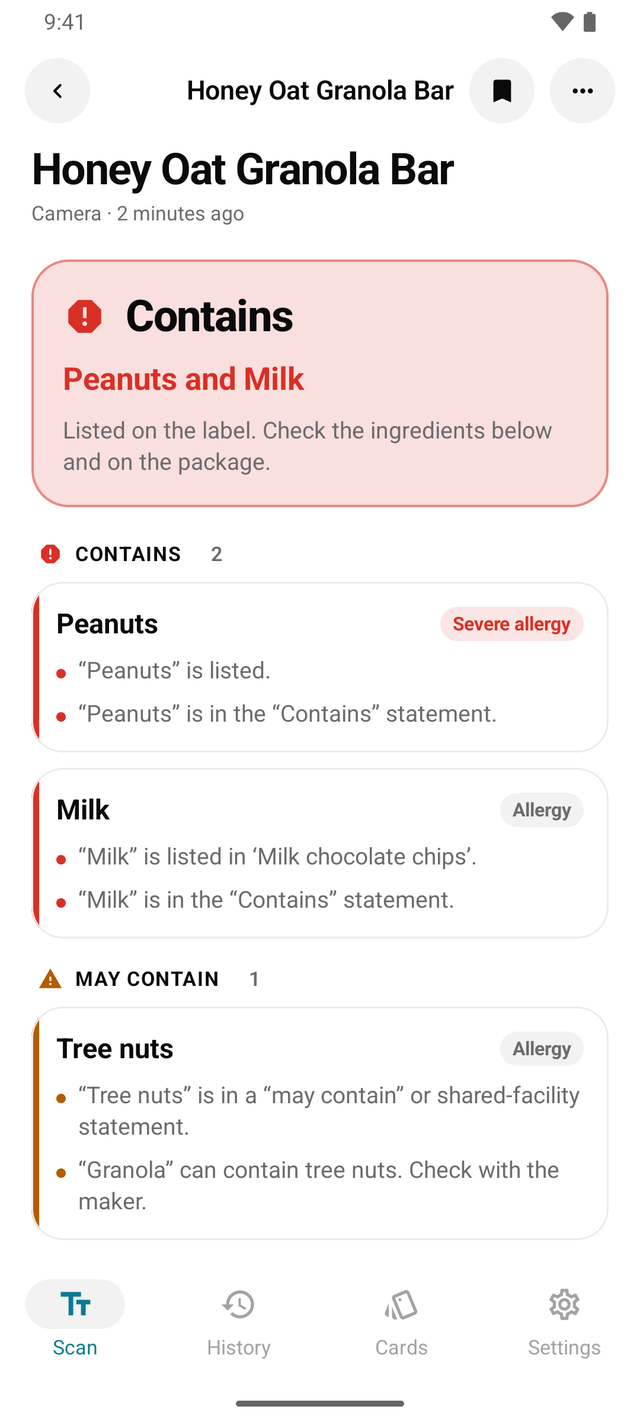 Android label scan
A beginner’s checklist for reading food labels
Start with AllergenLens using a simple food-label checklist for ingredients, warnings, coverage, profiles and uncertain results.
Read guidecontains and warning resultsWhy Might AllergenLens Highlight More Than Your Profile?
Understand broader highlights from synonyms, custom ingredients, derivatives, and profile rules in AllergenLens.
Read guideAndroid label scanChoosing a Language for an Allergy Travel Card
Choose a language, preserve the original, and review an AllergenLens travel-card translation before travelling.
Read guidetravel cardCelery, mustard and lupin on food labels
Learn how to check celery, mustard and lupin across labels, markets, manufacturing warnings and an AllergenLens profile.
Read guide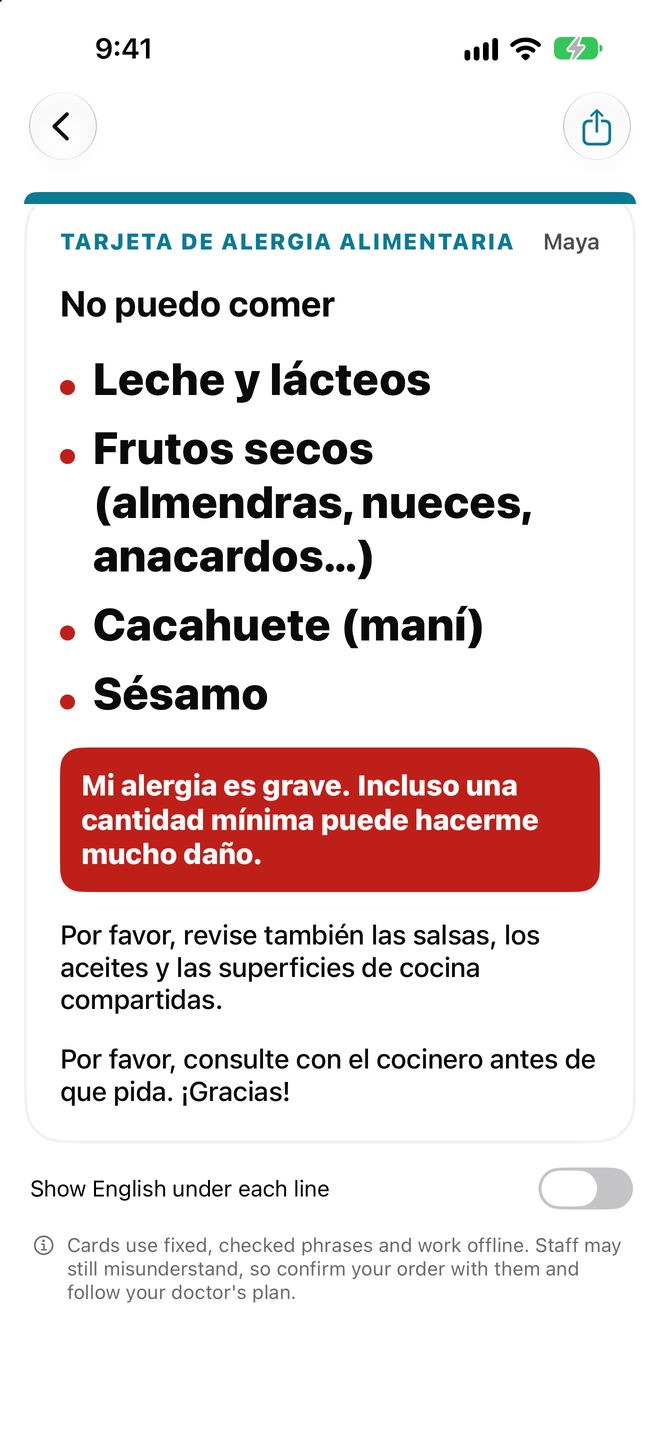 scan history
Creating an AllergenLens Profile for a Child with Allergies
How to create a clear child profile in AllergenLens, review labels with caregivers, and keep a safer family process.
Read guideAndroid label scanHow to review an allergy profile for a child
Review an AllergenLens child profile with the right terms, adult confirmation, travel preparation and clear safety limits.
Read guideAndroid label scanWhat does ‘contains’ mean on a food label?
Learn how to read a contains statement with ingredients, may contain warnings, coverage and an AllergenLens profile.
Read guidescan historyWhat Does a Coverage Indicator Do in a Label-Reading App?
Understand the AllergenLens coverage indicator, why coverage can be low, and when to retake a photo, read manually, or ask the manufacturer.
Read guidecontains and warning resultsWhat Should You Do When AllergenLens Coverage Is Low?
How to respond when AllergenLens reads only part of a label: retake the photo, read manually, and verify with an appropriate source.
Read guideAndroid label scanHow to Check Crustaceans and Molluscs on a Food Label
Learn how to check crustacean and mollusc ingredients, manufacturing warnings and label photos with AllergenLens.
Read guideAndroid label scanWhat Is the Difference Between Crustaceans and Shellfish on Labels?
Read crustaceans, shellfish, molluscs, and related warnings with AllergenLens while accounting for market-specific labels.
Read guideAndroid label scanWhen Are Custom Ingredients Useful in AllergenLens?
Use custom ingredients in AllergenLens to track personal terms without treating a scan result as proof of safety.
Read guide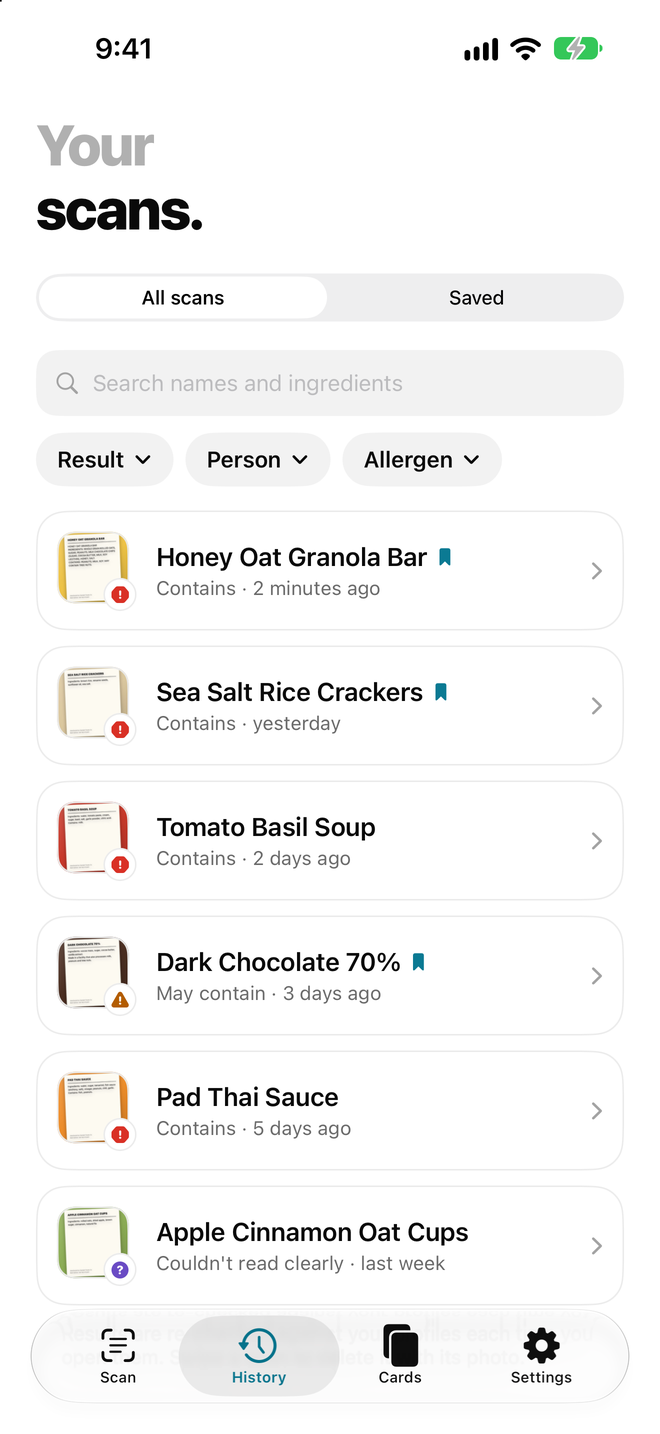 settings and privacy
A Cropped Label Is Missing Ingredients: Why Not to Trust the Result
What to do when an AllergenLens label photo is cropped, reflective, or missing warnings, and how to retake the full label.
Read guideingredient scanWhen Should You Delete an AllergenLens Profile or Scan History?
Learn how to review profiles, saved products, scan history, and travel cards before deleting AllergenLens data or changing users.
Read guidetravel cardWhat Should an Allergy Profile Include? Add Allergens and Custom Ingredients
Set up an AllergenLens profile, distinguish allergies from diet choices, and review the profile before scanning labels.
Read guidesettings and privacyWhy E-numbers need context when you read a food label
Learn how to read E-numbers with AllergenLens, check the ingredient context and use current official sources instead of guessing from a code.
Read guidetravel cardHow to Check for Egg on a Food Label
Find egg names and related ingredients, review manufacturing warnings and use AllergenLens within its limits.
Read guideingredient scanWhat are the EU 14 allergens? How to read the list
Learn the 14 allergen groups highlighted in EU food labels and how to use AllergenLens to review label text carefully.
Read guideallergy profile reviewWhole family mode: managing multiple people while reading labels
Organize profiles, sharing and confirmation steps when a family uses AllergenLens with different dietary or allergy needs.
Read guideAndroid label scanFamily Grocery Checklist When Several Allergen Profiles Are Involved
Prepare phones, select the right profile, scan labels and confirm products when a family shops with AllergenLens.
Read guideingredient scanHow Do FDA 9 and EU 14 Allergens Differ?
Understand the FDA major-allergen framework and EU 14 differences when reading labels with an AllergenLens profile.
Read guidescan historyHow Should You Choose an FDA or EU Profile?
Choose a market profile in AllergenLens, understand FDA/EU label differences and avoid treating a profile as a safety certificate.
Read guidesettings and privacyUsing FDA 9 and EU 14 as label-reading references
Learn how to use FDA 9 and EU 14 references with AllergenLens without confusing regulatory lists with a personal allergy profile.
Read guidesettings and privacyWhat Are the FDA's 9 Major Food Allergens? How to Read Them on Labels
Learn the FDA's nine major food allergen groups and how AllergenLens reads label text without deciding that a food is medically safe.
Read guidescan historyWhat Does AllergenLens Look for on a Food Label?
Learn how AllergenLens searches ingredients and warnings, what it can highlight and why the package still needs to be read.
Read guideAndroid label scanCreate a Profile and Scan Your First Label with AllergenLens
Create an AllergenLens profile, choose ingredients to watch and review a first label without overlooking cross-contact warnings.
Read guideAndroid label scanHow to Check Food Labels in a Foreign Supermarket with AllergenLens
Photograph, scan and verify food labels in another country with AllergenLens without treating missing text as proof of safety.
Read guidescan historyHow to Read the Four AllergenLens Scan Result States
Learn how to handle AllergenLens states: warning found, not found, unclear and incomplete coverage, without treating not found as safe.
Read guideAndroid label scanWhat Warnings Does AllergenLens Free Show? Understand Scan Results
Learn what AllergenLens Free warning states mean, when to check a label manually and why a missing term does not prove safety.
Read guideingredient scanHow Does AllergenLens Fit a Gluten-Free Diet?
Use an AllergenLens profile to read labels for gluten-free needs while understanding the limits around certification and cross-contact.
Read guidecontains and warning resultsIs Gluten-Free the Same as Wheat-Free?
Understand gluten-free versus avoiding wheat, read ingredients and warnings, and use an AllergenLens profile without skipping the label.
Read guidescan historyDoes gluten-free mean wheat-free?
Understand the difference between gluten-free and avoiding wheat when reading labels with an AllergenLens profile and warnings.
Read guidesettings and privacyPrepare Your Phone Before Grocery Shopping with AllergenLens
A grocery checklist for your AllergenLens profile, camera, battery, permissions and privacy before scanning labels in a store.
Read guideAndroid label scanFAQ: Health Data and Privacy in AllergenLens
Understand allergy profiles, scan history, label photos, technical data and how to read the current AllergenLens privacy policy.
Read guideallergy profile reviewWhy Might the App Highlight an Ingredient Name?
Understand AllergenLens ingredient highlights, derivatives, coverage and the checks to perform after an alert.
Read guidescan historyWhy Must a Label Term Be Read in Context?
Read ingredients, claims and warnings together in AllergenLens instead of making a decision from one highlighted word.
Read guideAndroid label scanHow to Read Derived Ingredient Names in AllergenLens
Check derived ingredient names with context, market, official sources and the current label in AllergenLens.
Read guidesettings and privacyHow to Prepare AllergenLens for International Travel
Use this AllergenLens checklist for profiles, label languages, travel cards, offline scans and restaurant confirmation abroad.
Read guidetravel cardDoes AllergenLens send label photos to a server?
Learn how to check AllergenLens image handling, read its privacy policy and reduce sensitive data when scanning food labels.
Read guideallergy profile reviewHow to Photograph an Ingredient List Clearly
Improve AllergenLens ingredient and warning photos with better light, angle, overlapping sections, coverage and source review.
Read guidecontains and warning resultsHow an allergen label scanner works
Learn how AllergenLens reads label text against a personal profile, why coverage matters and when manual confirmation is required.
Read guidesettings and privacyDoes lactose-free mean dairy-free? What to read on the label
Understand lactose-free versus avoiding milk, review ingredients with AllergenLens and interpret OCR results carefully.
Read guideingredient scanDoes lactose-free mean milk-free?
Understand the difference between lactose-free and avoiding milk when using AllergenLens to review ingredients, profiles and label warnings.
Read guideingredient scanDoes Lactose-Free Mean Milk-Free?
Distinguish lactose-free from avoiding milk, read labels and use AllergenLens when tracking milk or lactose.
Read guideingredient scanWhat to Ask a Manufacturer When a Food Label Is Unclear
Prepare specific manufacturer questions when AllergenLens cannot read a label or allergen information remains ambiguous.
Read guideAndroid label scanWhat does ‘may contain’ mean on a food label?
Understand ‘may contain’, how it differs from ‘contains’ and how to use AllergenLens to review an allergen warning carefully.
Read guideingredient scanMilk Names That Are Easy to Miss on Food Labels
Find milk and related names on food labels, distinguish ingredients from warnings and use AllergenLens as a second check.
Read guidesettings and privacyIngredient Names That Are Easy to Miss on Food Labels
Reduce missed ingredient names in AllergenLens with profile terms, context, synonyms and a complete warning review.
Read guidetravel cardCreating AllergenLens profiles for different diets
Learn how to manage AllergenLens profiles for allergies and different diets without selecting the wrong person or profile.
Read guidesettings and privacyChanging Phones with Allergy Data: What to Prepare Before You Switch
Use this checklist to prepare your AllergenLens profile, scan history and travel cards before moving to a new iPhone or device.
Read guidesettings and privacyWhat are the benefits of an allergy app without an account or cloud sync?
Compare the privacy benefits and recovery trade-offs of using AllergenLens without an account or cloud sync.
Read guidetravel cardUsing AllergenLens with a Label That Is Not in English
Handle non-English food labels with AllergenLens by checking coverage, translation context and every package warning.
Read guidesettings and privacyWhat Does Not Found Mean in AllergenLens?
Understand the AllergenLens not-found state, why it is not safety evidence, and what to check next.
Read guideingredient scanWhat does ‘not found in the text we read’ mean?
Learn what AllergenLens results mean, why ‘not found’ is not a safety guarantee, and how to check the package label again.
Read guidetravel cardWhy AllergenLens Is Not Medical Advice: Use the App in the Right Role
Understand AllergenLens limits, the difference between reading a label and medical judgment, and how to use it as a second check.
Read guidescan historyHow to Save an Allergy Travel Card Offline
Save an AllergenLens travel card offline, verify language, keep a backup and understand its limits in restaurants.
Read guidescan historySaving an AllergenLens travel card for offline use
Prepare and test an offline AllergenLens travel card before a trip so you are not dependent on a network connection.
Read guidecontains and warning resultsWhat does allergy information stored on your phone mean?
Understand how AllergenLens stores profiles and scan history on a device, and how to protect backups while respecting privacy limits.
Read guidesettings and privacyBuying Food Online When the Allergen Label May Be Out of Date
Use AllergenLens cautiously when online product photos may be old, incomplete or different from the package delivered.
Read guidescan historyHow to Check Labels When Buying Food Online
A checklist for online food labels: product version, market, ingredients, coverage and manufacturer confirmation.
Read guideAndroid label scanFive Mistakes Caused by Overtrusting the AllergenLens Label Reader
Avoid five AllergenLens mistakes: treating not found as safe, ignoring warnings, using old photos and overlooking coverage.
Read guidescan historyQuestions to Answer Before Buying Packaged Food
Use an AllergenLens checklist before buying packaged food: exact product, complete label, warnings, profile and coverage.
Read guideallergy profile reviewHow Parents Can Use a Label-Reading App When Shopping for Children
A parent workflow for checking children’s food labels with the right profile, clear photos, coverage review and package verification.
Read guidetravel cardAllergenLens for Parents of Children with Allergies: How to Use It
Use AllergenLens profiles and Whole family mode with children while keeping the child’s medical plan more important than an app result.
Read guideingredient scanAllergenLens Personal Profile Guide for Reading Food Labels
Build an AllergenLens profile, scan complete labels and handle unclear results without treating a profile as a diagnosis.
Read guidesettings and privacyAllergenLens Plus for Families: When Is Whole Family Mode Useful?
Set up family profiles and Whole family mode in AllergenLens while avoiding confusion between members’ allergy needs.
Read guideingredient scanWhen Is Product Scan History Useful for Allergy Label Checks?
Use scan history to remember reviewed products without confusing an old scan with current ingredients or a permanent safety approval.
Read guidesettings and privacyWhen Should You Update or Delete an Allergy Profile?
Review, update and remove AllergenLens profiles when users, diet needs or devices change while protecting personal data.
Read guideallergy profile reviewHow to create a personal allergy profile for label reading
Create an AllergenLens profile with allergens, diets and custom ingredients, then review it so important terms are not missed.
Read guidetravel cardHow to Read an Ingredient List When You Have Food Allergies
A practical guide to reading ingredients, contains, may contain and supplemental labels with AllergenLens as a supporting check.
Read guideingredient scanWhy a travel card does not replace talking with a restaurant
Use an AllergenLens travel card to support communication, then confirm ingredients, preparation and cross-contact with the restaurant.
Read guidesettings and privacyCan You Trust Saved Products in AllergenLens Forever?
Learn when to rescan saved AllergenLens products and why current packaging matters more than an old saved result.
Read guidetravel cardWhen to Use AllergenLens Scan History and When Not to Trust It
Use AllergenLens scan history to remember reviewed products without treating an old result as proof for a new package.
Read guideallergy profile reviewWhen Is Scan History Useful in AllergenLens?
Use AllergenLens scan history to review products and packaging changes without treating old results as a permanent safety guarantee.
Read guidesettings and privacyHow to Use AllergenLens as a Secondary Check
Use AllergenLens after reading the real label: select the right profile, review coverage and verify uncertainty.
Read guideallergy profile reviewHow to Read Sesame and Cross-Contact Warnings
Review sesame in ingredients, contains and may contain statements, check AllergenLens coverage and know when to ask the manufacturer.
Read guideAndroid label scanHow to Check for Sesame on a Food Label
Learn where sesame may appear on a food label, how to review warnings and how to use an AllergenLens sesame profile carefully.
Read guidesettings and privacyHow Soy May Be Written on a Food Label
Find soy-related terms in ingredients, blends and warnings, and use an AllergenLens profile without treating OCR as a safety conclusion.
Read guideAndroid label scanHow to Read Sulphites on a Food Label
Find sulphites and related additive names in ingredients, warnings and supplemental labels while understanding AllergenLens OCR limits.
Read guidecontains and warning resultsStart AllergenLens in Three Minutes: A Controlled Label Scan
A three-minute AllergenLens routine for creating a profile, capturing the full label, reading results and knowing when to check manually.
Read guideingredient scanA Three-Minute AllergenLens Starter Workflow
Start AllergenLens in three minutes by choosing a profile, photographing the label, checking coverage and deciding the next step.
Read guidetravel cardExporting an AllergenLens travel card as an image or PDF
Review, export and save an AllergenLens travel card as an image or PDF for quick use while traveling.
Read guidetravel cardWho Are Travel Allergy Cards For? How to Use Them on a Trip
Learn who can use AllergenLens travel allergy cards, how to prepare them offline and why they do not replace direct communication.
Read guidesettings and privacyHow to Choose a Language for an Allergy Travel Card
Choose, review and use an AllergenLens allergy travel card in the language a restaurant team can understand without treating translation as a safety guarantee.
Read guidescan historyWhat are travel allergy cards? Prepare one before a trip
Use AllergenLens travel allergy cards to explain food needs abroad while understanding the safety limits of translated cards.
Read guidetravel cardA Food Label Checklist for International Travel
Use this overseas label checklist for country, language, profile, photos, coverage, warnings and manufacturer confirmation.
Read guidetravel cardAllergenLens Travel Label Rules and Checklist
Prepare for travel label reading with AllergenLens by checking country, language, profile, warnings, manufacturer and backup options.
Read guidescan historyChoose an AllergenLens Profile in the US or Europe
Review an AllergenLens profile when shopping in the US or Europe without confusing allergen lists with a medical diagnosis.
Read guideingredient scanDoes a Vegan Claim Answer Every Allergy Question?
Understand the limits of a vegan claim, compare it with allergy requirements and use AllergenLens to review the complete label.
Read guidetravel cardWhat is the difference between vegan and vegetarian label reading?
Compare vegan and vegetarian needs, overlooked ingredients and cautious use of an AllergenLens diet profile.
Read guideallergy profile reviewHow AllergenLens Differs from a Calorie-Counting App
Compare AllergenLens with calorie apps and keep allergen label review separate from nutrition estimates.
Read guidescan historyHow AllergenLens Differs from Reading a Label Yourself
Compare AllergenLens with manual label reading and understand why the original package and human context still decide.
Read guideingredient scanHow Wheat and Gluten Terms Can Appear on Food Labels
Learn how wheat and gluten terms, ingredient names and claims can differ by market, and how to review them with AllergenLens.
Read guideingredient scanIs Gluten-Free the Same as Wheat-Free? How to Read Labels Carefully
Understand the difference between gluten-free and wheat-free, how AllergenLens reads label terms, and why OCR is not medical confirmation.
Read guidesettings and privacyWhy You Should Read Both Ingredients and Allergy Warnings
Understand the different roles of ingredients, contains and may contain statements, with AllergenLens as a supporting label-reading layer.
Read guideSee the product in action