AllergenLens Free vs Plus: what every plan includes
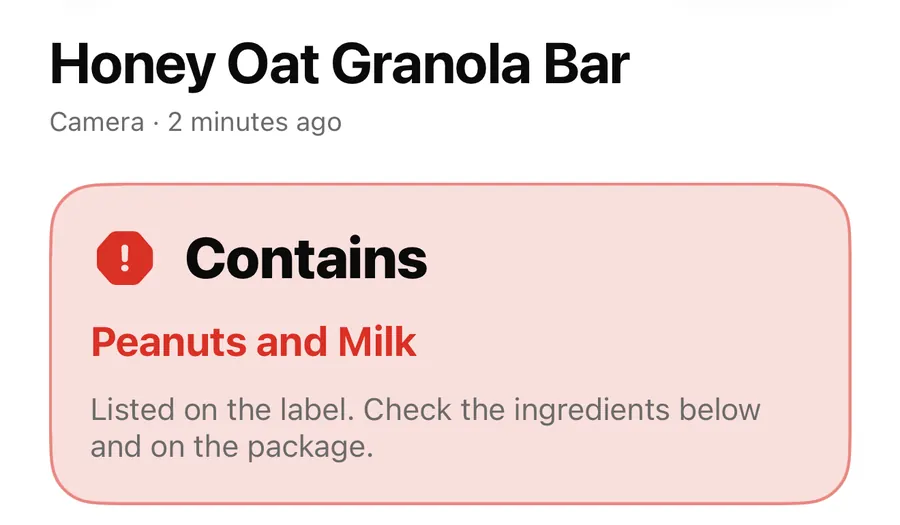
Every AllergenLens warning is free with unlimited scans. Plus adds family profiles, scan history, saved products and travel allergy cards. Here's the full list.
Short answer
Scanning and every warning in AllergenLens are free, with no scan limit, no account and no ads. AllergenLens Plus adds up to 6 family profiles with Whole family checks, scan history and saved products, travel allergy cards in 9 languages with image and PDF export, and the allergy card widget. Plus comes as a yearly plan with a 7-day free trial, a monthly plan or a one-time lifetime purchase.
The rule behind the split is simple: anything that helps you spot an allergen on a label is free, and stays free. AllergenLens Plus is for convenience around that: checking the whole family in one go, keeping products you buy every week, and showing staff a card when you eat out. Warnings are never behind a paywall.
What's free
Free is a complete label checker for one person:
- One allergy and diet profile, with allergens, diets, a severe flag and your own ingredients
- Unlimited scans from the live camera, a photo or typed text, with Add photo for lists that continue on another side of the pack
- Contains, May contain and Couldn't read clearly results, plus coverage notes when part of a label was cut off or skipped
- Other names and E-numbers matched to the allergens they come from
- What we read and Show on photo, with every match marked
- Save snapshot, Share and Report a miss
- Your latest scan, kept until the next one
- A preview of travel allergy cards on the Cards tab
- The Scan label Siri shortcut, the Check ingredients action in Shortcuts, and Visual Intelligence
What Plus adds
| Plus feature | What it does |
|---|---|
| Family profiles, up to 6 | A profile for each person you feed, each with their own allergens and diets. |
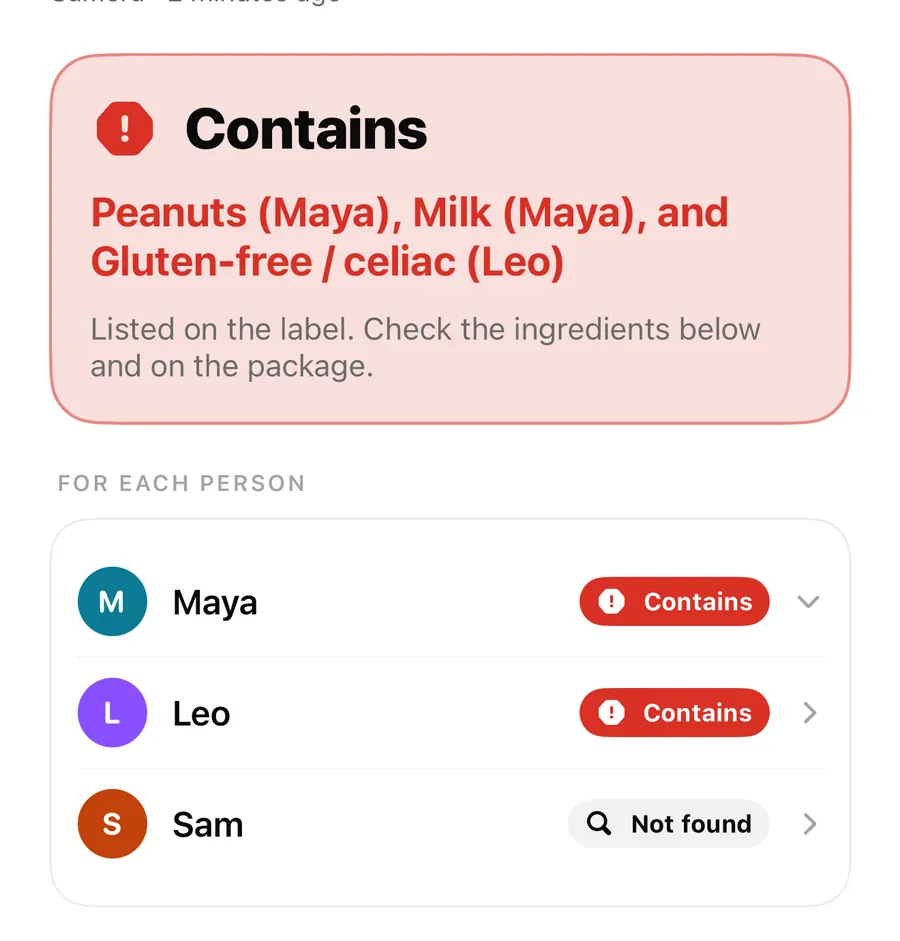
| Whole family | One scan checked for everyone at once, with a result for each person. |
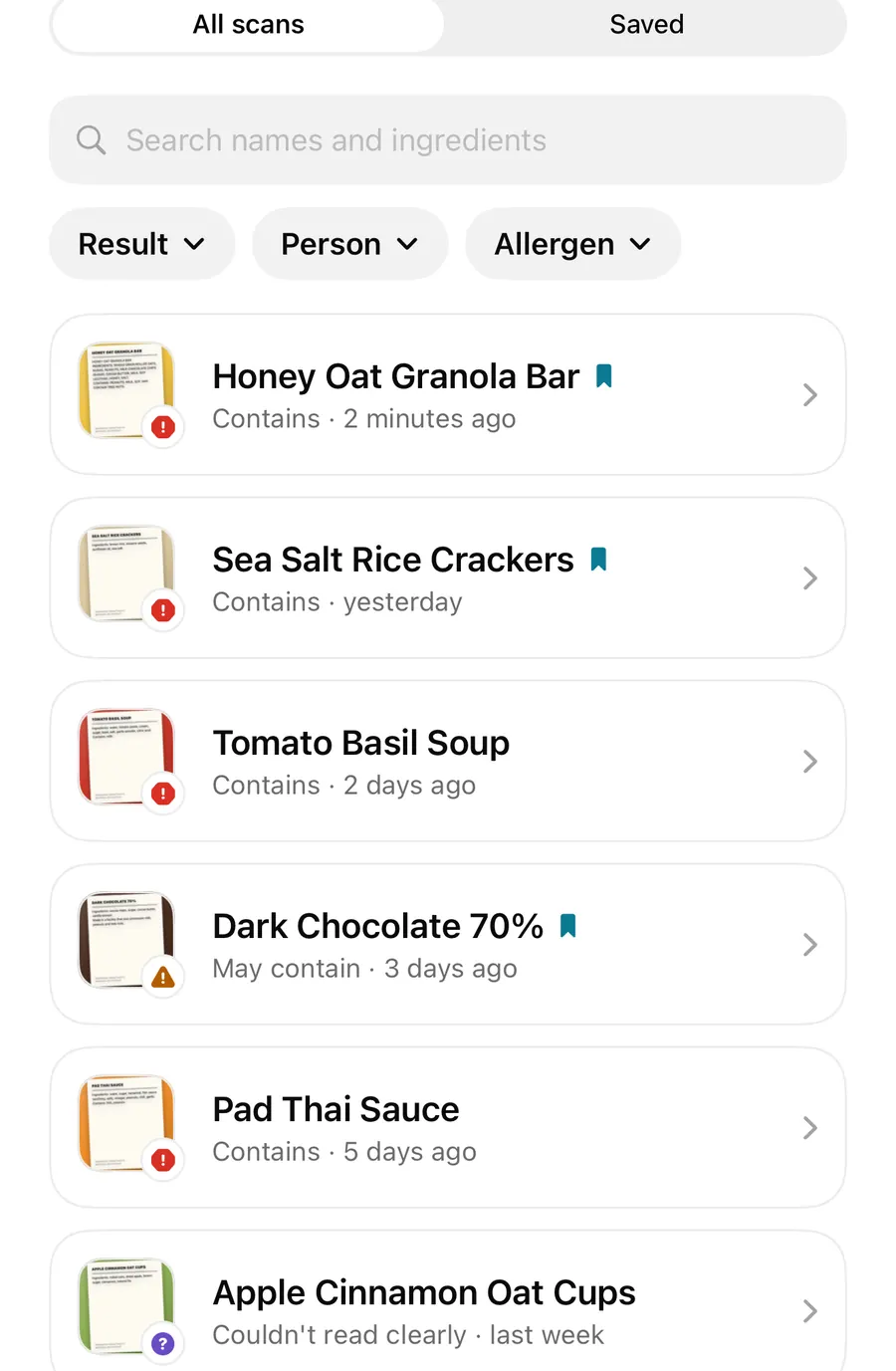
| History and saved products | Every scan kept, searchable by name and ingredient, and filtered by result, person or allergen. Bookmark products you buy often. |
| Allergy cards in 9 languages | Travel allergy cards full screen and offline, with read aloud where a voice is available and a note in your own words. |
| Cards as image or PDF | Share a card, or save it to this iPhone. |
| Allergy card widget and Siri | The card on your Home Screen, and Show my allergy card in AllergenLens. |
Places in the app that need Plus carry a small PLUS tag, such as Add family member and the Whole family switch. Tapping one shows what Plus includes. Each feature has its own post: Whole family mode, scan history and saved products and the travel allergy card.
Plans and the free trial
There are three ways to get Plus, all through your Apple ID:
- Yearly, with a 7-day free trial. If you start the trial, the yearly plan begins when it ends unless you cancel before then.
- Monthly, with an introductory offer for new subscribers.
- Lifetime, one payment that never renews.
The App Store shows the price for your country or region before you confirm. Subscriptions renew automatically until you cancel; Manage subscription in Settings opens Apple's subscription page.
Try Plus and manage it
- Open Settings and tap Try free next to AllergenLens Plus, or tap any feature marked PLUS.
- Choose a plan and confirm with your Apple ID.
- Settings now shows AllergenLens Plus is on.
- To cancel or change a subscription, tap Manage subscription in Settings.
- On a new iPhone, or after reinstalling, tap Restore purchases. Redeem offer code is there too if you have one.
If Plus ends
Nothing about your warnings changes. Here's what does:
- Profiles stay on your iPhone. Whole family turns off, so each scan is checked for one person; you can still choose who on the Scan tab. Adding more people needs Plus again.
- History shows your latest scan, plus any products you saved while you had Plus. The next scan replaces the other unsaved scans and their label photos, as on Free.
- Allergy cards go back to the preview, and the widget says Allergy cards are part of AllergenLens Plus.
If you subscribe again, the profiles you kept are ready to check together again.
FAQ
Is there a scan limit on the free version?
No. Scans from the camera, photos and typed text are unlimited on Free, and every result shows the same warnings as Plus.
Do I lose my scans if Plus ends?
Saved products stay. Other scans remain until your next scan, which keeps only the newest one, as on Free. Delete or save anything you need first.
Can I share Plus with my family?
Plus covers up to 6 profiles on your iPhone, so one phone can check a label for the whole family. Profiles stay on that iPhone and aren't shared between phones.
Do I need an account to buy Plus?
No. Purchases go through your Apple ID, and Restore purchases brings Plus back after a reinstall. Read more in AllergenLens privacy.
Download AllergenLens and start with the free version; every warning is included.
Keep reading
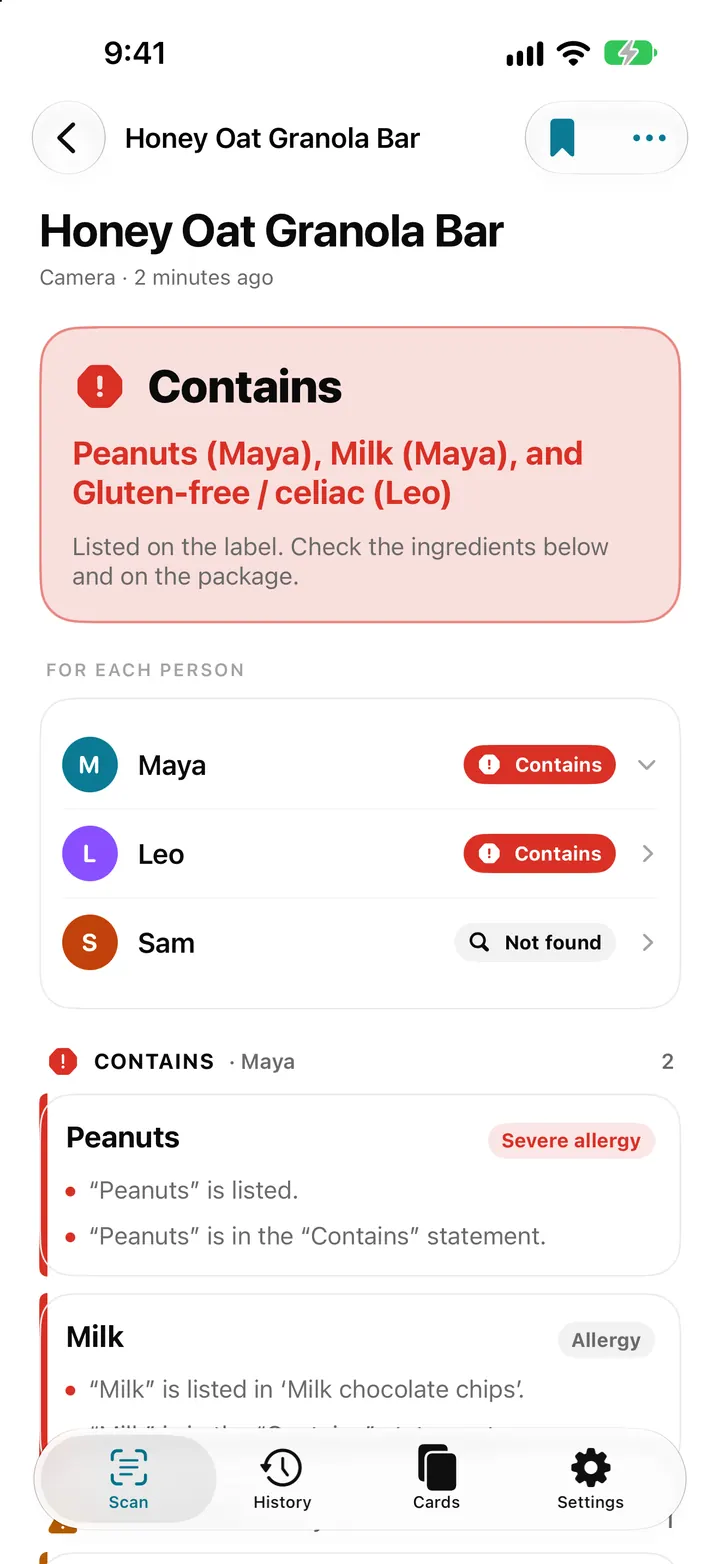
Whole family mode: check one label for everyone in AllergenLens
With AllergenLens Plus, keep up to 6 family profiles and check every scan for the whole family at once, with a separate result for each person you shop for.
Read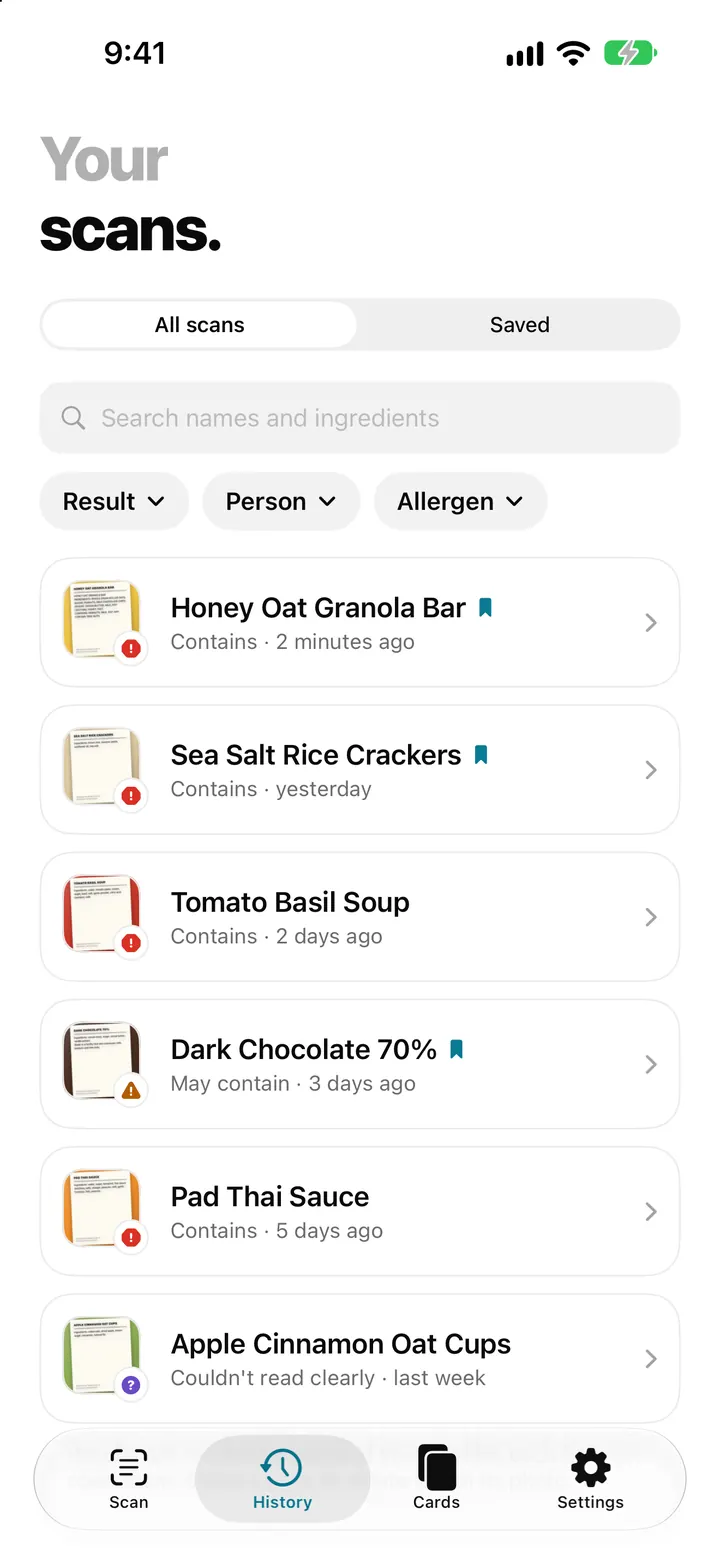
Scan history and saved products: find a label you checked before
AllergenLens keeps your scans on your iPhone, lets you save products you buy often, finds them by barcode and re-checks them whenever your profiles change.
Read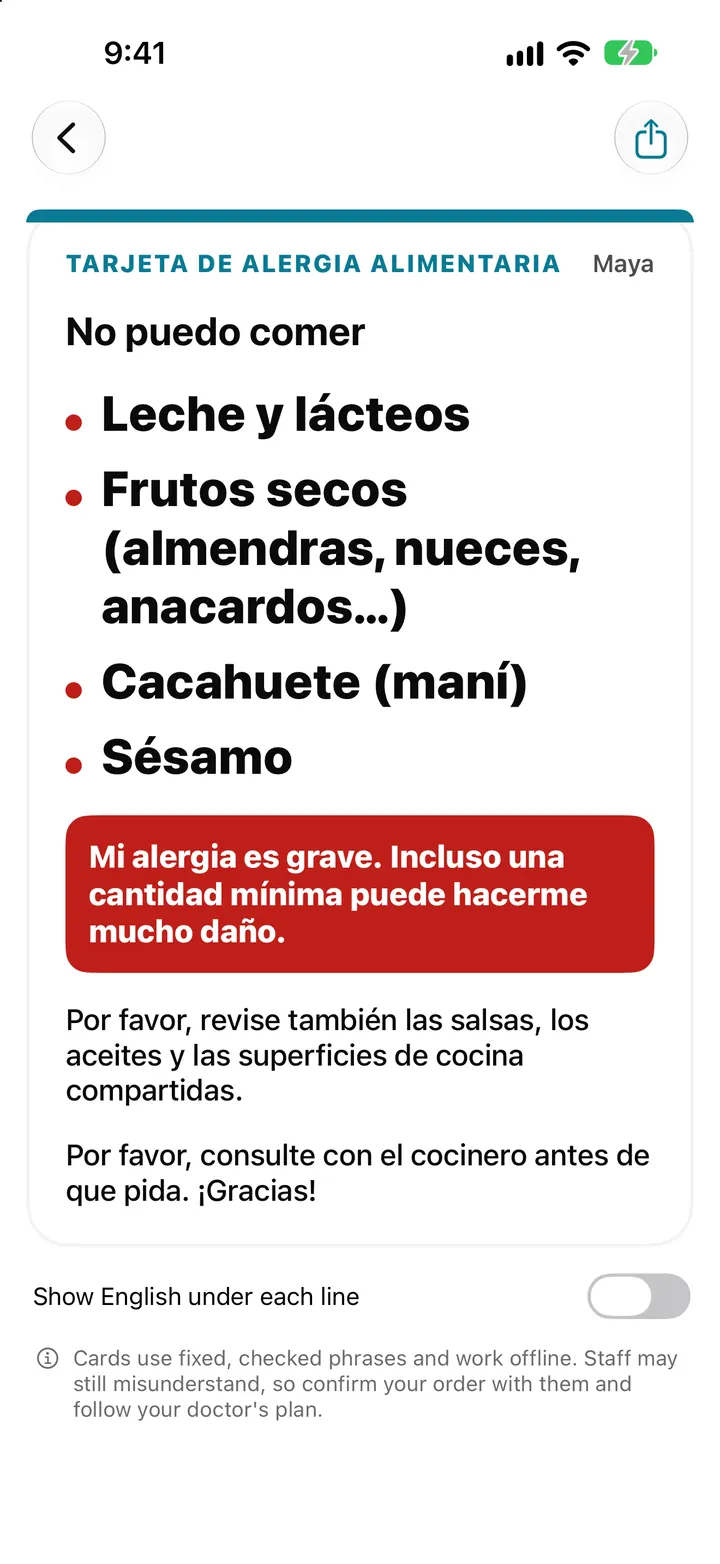
Travel allergy card on your iPhone: show staff what you can't eat
AllergenLens turns your allergy profile into a full-screen card in 9 languages that works offline, so you can show restaurant staff what you can't eat abroad.
ReadWhat Warnings Does AllergenLens Free Show? Understand Scan Results
Learn what AllergenLens Free warning states mean, when to check a label manually and why a missing term does not prove safety.
Read guide