What does allergy information stored on your phone mean?
Allergy information on a phone can include a personal profile, custom ingredients, scan history and images or results you choose to keep. AllergenLens is designed to read label text and highlight matches with a profile; it does not decide whether food is safe. If information is stored on the device, you may have more control over sharing, but you are also responsible for the lock screen, backups and deletion when the device changes hands.
What does on-device storage mean?
On-device storage generally means a profile and scans stay in the phone’s local storage instead of being synchronised through an account. That may reduce the need to send information to a service, but it does not mean the phone cannot be lost, a backup cannot contain the data or another person cannot view an unlocked device. Read the current privacy information and settings rather than inferring from a marketing label.
Keep the profile minimal
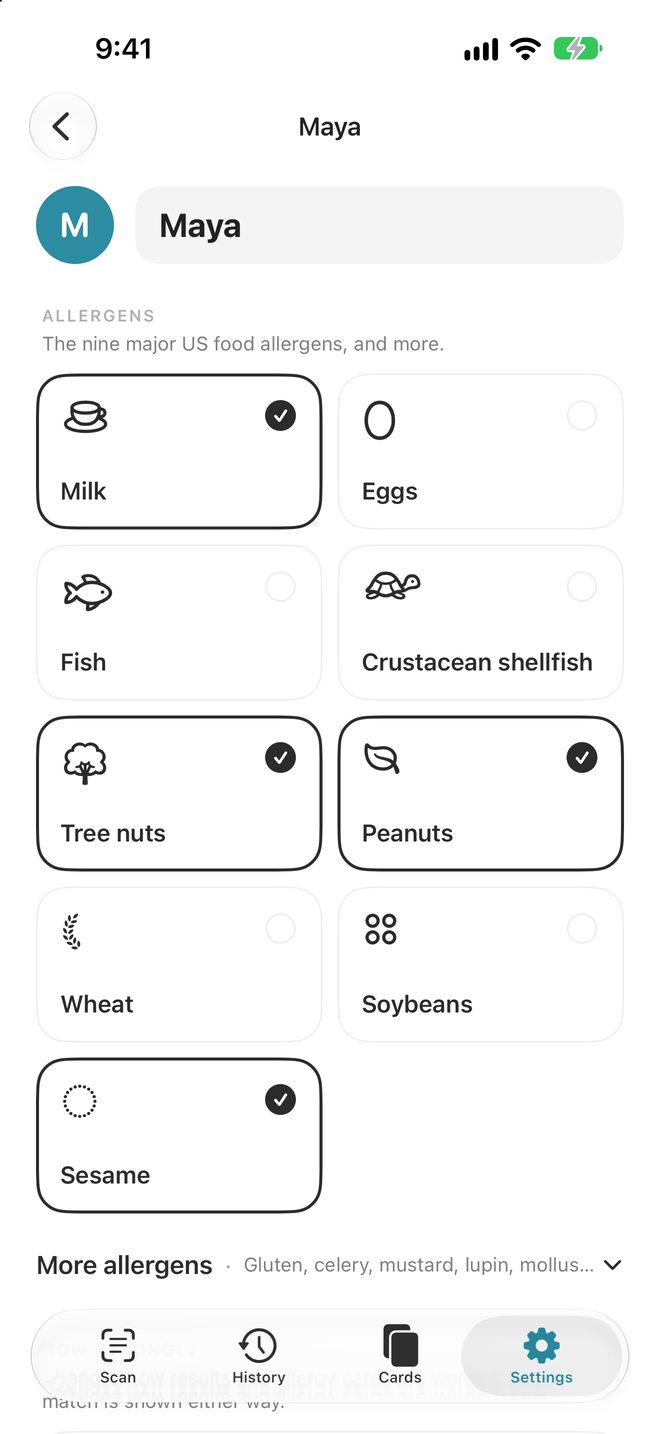
Add only the allergens, diets and custom ingredients needed for the person using the profile. Do not put a medical record number, address, phone number or other identifying details in a profile name unless there is a clear reason. If several people share a phone, make profiles distinguishable without exposing health information. When a profile changes, record the review date so an old result has the right context.
Protect the phone and copies
Use a strong passcode, automatic locking and current updates. If a device backup may include scans or profiles, understand where it is stored and who can access it. Before switching phones, follow the available recovery guidance and keep only the copy you need in a protected place. Before deleting the app, check related photos and backups.
Use AllergenLens within its limits
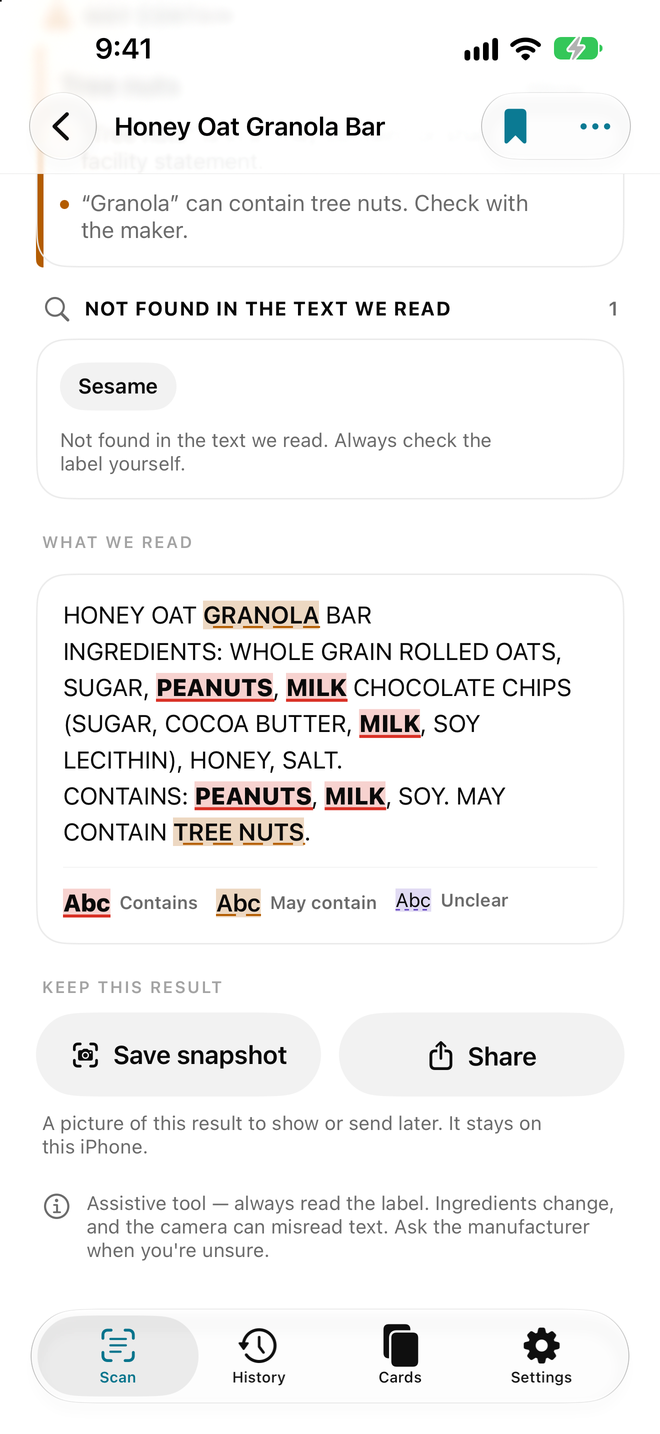
AllergenLens helps find label text to review; it does not replace the package label or a medical plan. See AllergenLens and read the privacy information. Before eating, read the full ingredients, Contains and May contain statements. If the image is unclear or sources conflict, contact the manufacturer. Do not share one person’s profile result as if it applied to another person.
Conclusion
Keeping allergy information on a device may reduce sharing, but it is safe only when the phone, backups and profile are managed carefully. Use the minimum data, review history and base the final food decision on the package label, manufacturer and personal guidance.
Safety note: AllergenLens is not a doctor, diagnostic tool or food-safety certificate.
A practical workflow for this topic
When you search for “What does allergy information stored on your phone mean?”, the useful answer is usually a repeatable way to check the detail that matters. Use this AllergenLens guide as a starting point, then confirm the current source before acting. The product can organize information and shorten a review; it cannot fill in missing facts or replace a professional decision.
Quick checklist before you act
- Select the profile for the person who will use the food.
- Photograph the complete label, including ingredients and warning statements.
- Review coverage and each highlight against the original package.
- Ask the manufacturer or follow the personal medical plan when information is incomplete.
Keep the decision traceable: record the version, date and source you relied on when the detail may change.
Detailed step-by-step workflow
This extended section turns “What does allergy information stored on your phone mean?” into a repeatable AllergenLens workflow. The goal is not to create a longer checklist for its own sake. It is to make the important inputs visible, show what should be checked first, and leave a useful record of what was known at the time. That approach is especially helpful for food-label scanning, allergy profiles, ingredient coverage and warning review. Read the steps in order the first time, then return to the relevant step when the situation changes.
Step 1: Define the question and the record you need.
Start with this action in AllergenLens, then pause long enough to verify the result against the original source or observation. For “What does allergy information stored on your phone mean?”, record the date, the relevant context and anything that was not available. A structured record is more useful when another person can understand what was checked without guessing what happened between two screenshots, notes or exports.
Step 2: Gather the original inputs before interpreting the result.
Start with this action in AllergenLens, then pause long enough to verify the result against the original source or observation. For “What does allergy information stored on your phone mean?”, record the date, the relevant context and anything that was not available. A structured record is more useful when another person can understand what was checked without guessing what happened between two screenshots, notes or exports.
Step 3: Review the result and record uncertainty or missing data.
Start with this action in AllergenLens, then pause long enough to verify the result against the original source or observation. For “What does allergy information stored on your phone mean?”, record the date, the relevant context and anything that was not available. A structured record is more useful when another person can understand what was checked without guessing what happened between two screenshots, notes or exports.
Step 4: Save the version, date and next action for later comparison.
Start with this action in AllergenLens, then pause long enough to verify the result against the original source or observation. For “What does allergy information stored on your phone mean?”, record the date, the relevant context and anything that was not available. A structured record is more useful when another person can understand what was checked without guessing what happened between two screenshots, notes or exports.
Quality checks and common mistakes
Long-form guidance is most useful when it explains the boundaries as well as the happy path. Before relying on a AllergenLens record, run the checks below. They help separate a missing input from a negative result, an approximate value from a verified value, and a convenient summary from the original evidence.
Check 1
Do not start with the conclusion. Write down the question, the person or property involved and the time period first. In AllergenLens, keep the source, context and limitation close to the record so the next review can reproduce the decision.
Check 2
Do not mix old and new records without a date. Keep the original observation visible when you add a correction or update. In AllergenLens, keep the source, context and limitation close to the record so the next review can reproduce the decision.
Check 3
Do not treat a missing field as proof that the event, ingredient, expense or condition does not exist. In AllergenLens, keep the source, context and limitation close to the record so the next review can reproduce the decision.
Check 4
Do not share a polished summary before checking the original image, note, label, receipt or export behind it. In AllergenLens, keep the source, context and limitation close to the record so the next review can reproduce the decision.
Check 5
Do not use an app record as a substitute for a professional, medical, legal, financial or safety decision when the situation requires one. In AllergenLens, keep the source, context and limitation close to the record so the next review can reproduce the decision.
Frequently asked questions
What should I verify before I rely on this guide?
For “What does allergy information stored on your phone mean?”, use AllergenLens to organize the observation and then verify the part that affects the decision. If a source, image, measurement or input is incomplete, mark it as incomplete instead of silently filling the gap. Add a date and a short note about the method used. When the consequence is important or the question sits outside the product’s purpose, confirm it with the current official source or an appropriate professional.
What should I do when the information is incomplete?
For “What does allergy information stored on your phone mean?”, use AllergenLens to organize the observation and then verify the part that affects the decision. If a source, image, measurement or input is incomplete, mark it as incomplete instead of silently filling the gap. Add a date and a short note about the method used. When the consequence is important or the question sits outside the product’s purpose, confirm it with the current official source or an appropriate professional.
How can I make the record easier to compare later?
For “What does allergy information stored on your phone mean?”, use AllergenLens to organize the observation and then verify the part that affects the decision. If a source, image, measurement or input is incomplete, mark it as incomplete instead of silently filling the gap. Add a date and a short note about the method used. When the consequence is important or the question sits outside the product’s purpose, confirm it with the current official source or an appropriate professional.
When should I ask for another source or a specialist?
For “What does allergy information stored on your phone mean?”, use AllergenLens to organize the observation and then verify the part that affects the decision. If a source, image, measurement or input is incomplete, mark it as incomplete instead of silently filling the gap. Add a date and a short note about the method used. When the consequence is important or the question sits outside the product’s purpose, confirm it with the current official source or an appropriate professional.
A practical review before you finish
Before closing this topic, read the title “What does allergy information stored on your phone mean?” as a question rather than a promise. Confirm the current version of the information, check the original evidence, and record the next action in AllergenLens. A useful record says what was observed, when it was observed, what remains uncertain and who should review it next. This makes the article easier to apply today and easier to revisit when the facts change.
See the product in action
Related guides
Buying Food Online When the Allergen Label May Be Out of Date
Use AllergenLens cautiously when online product photos may be old, incomplete or different from the package delivered.
How to Check Labels When Buying Food Online
A checklist for online food labels: product version, market, ingredients, coverage and manufacturer confirmation.
Five Mistakes Caused by Overtrusting the AllergenLens Label Reader
Avoid five AllergenLens mistakes: treating not found as safe, ignoring warnings, using old photos and overlooking coverage.
Feature walkthroughs
Scan an ingredient label with your iPhone: how AllergenLens checks it
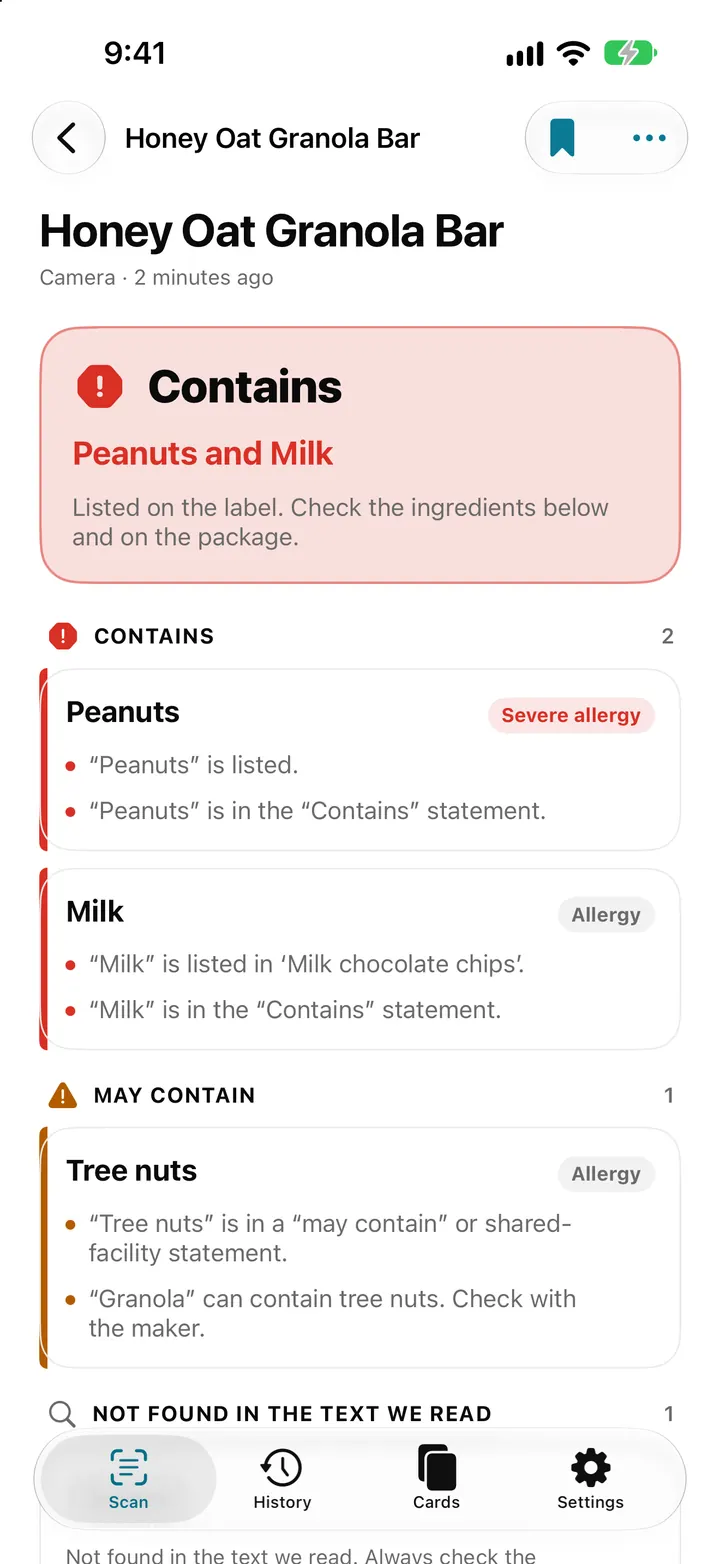
Point your iPhone at an ingredient list and AllergenLens shows Contains, May contain or what it couldn't read for your allergies and diet, all on the device.
Read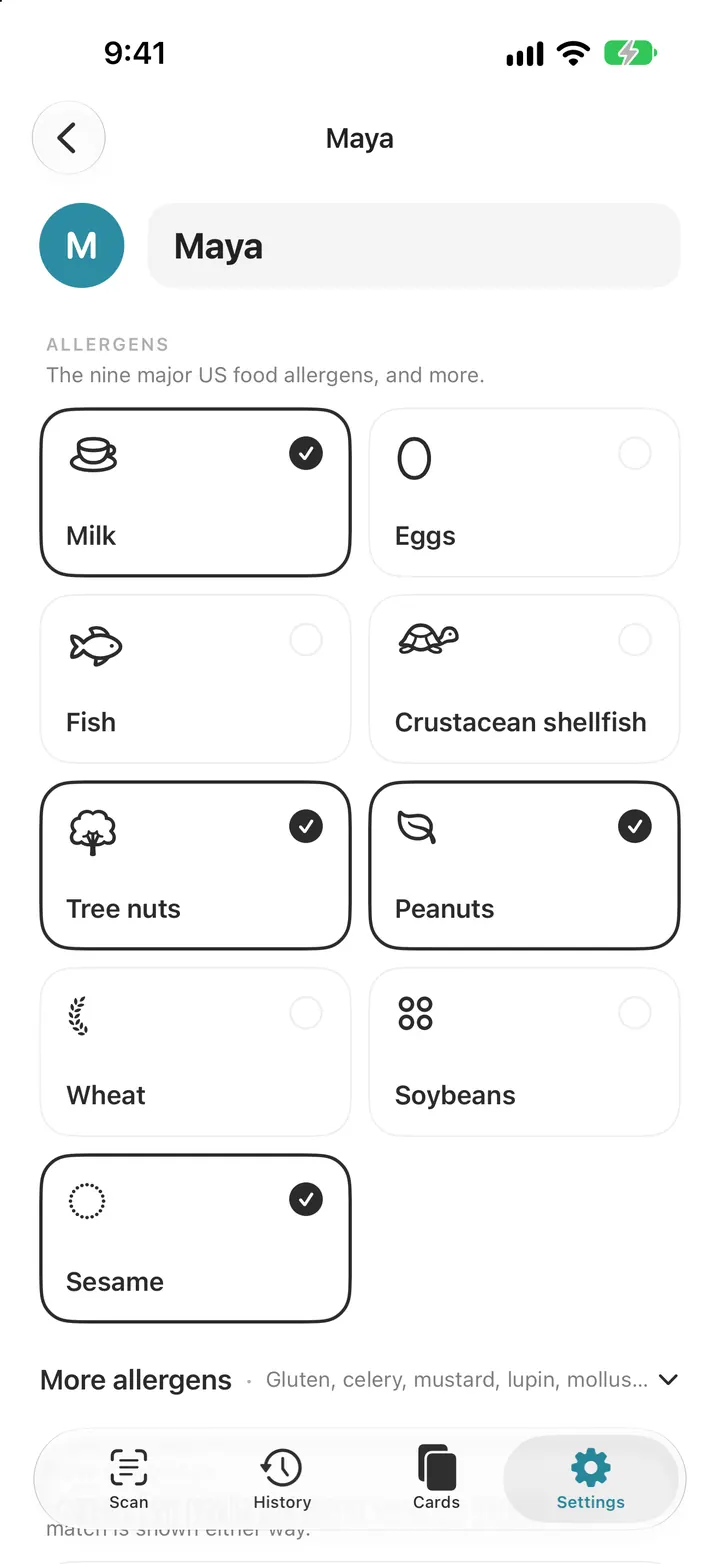
Set up your allergy profile: 14 allergens, diets and your own ingredients
Pick from the FDA nine and EU fourteen allergens, add a diet, set how strongly you react and add your own ingredients. Every AllergenLens scan checks this list.
Read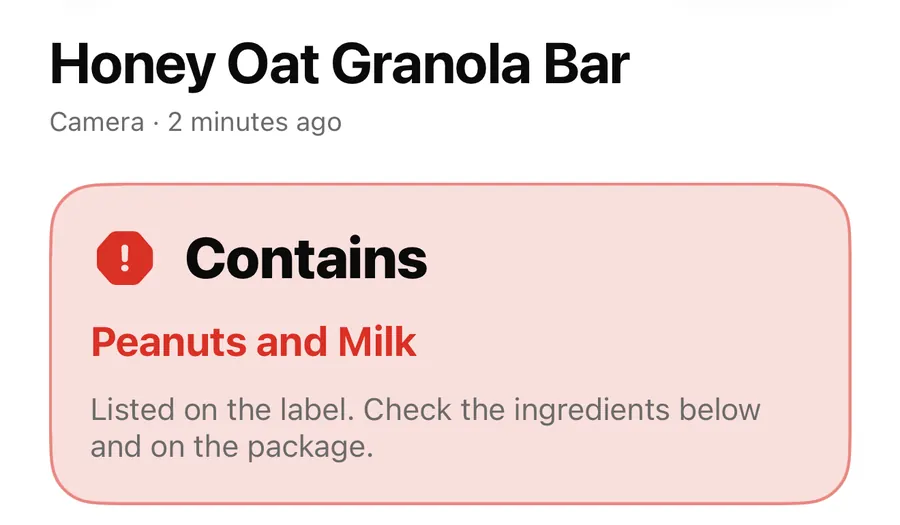
Contains, May contain, Couldn't read clearly: AllergenLens results explained
What each of the four AllergenLens result states means, how the card at the top is chosen, and what the app tells you when part of a label couldn't be read.
Read