E-numbers, other names and unclear words in AllergenLens
How AllergenLens reads E-numbers like E322 and E1105, explains what an additive can be made from, and marks misread or unknown words as Unclear to check.
Short answer
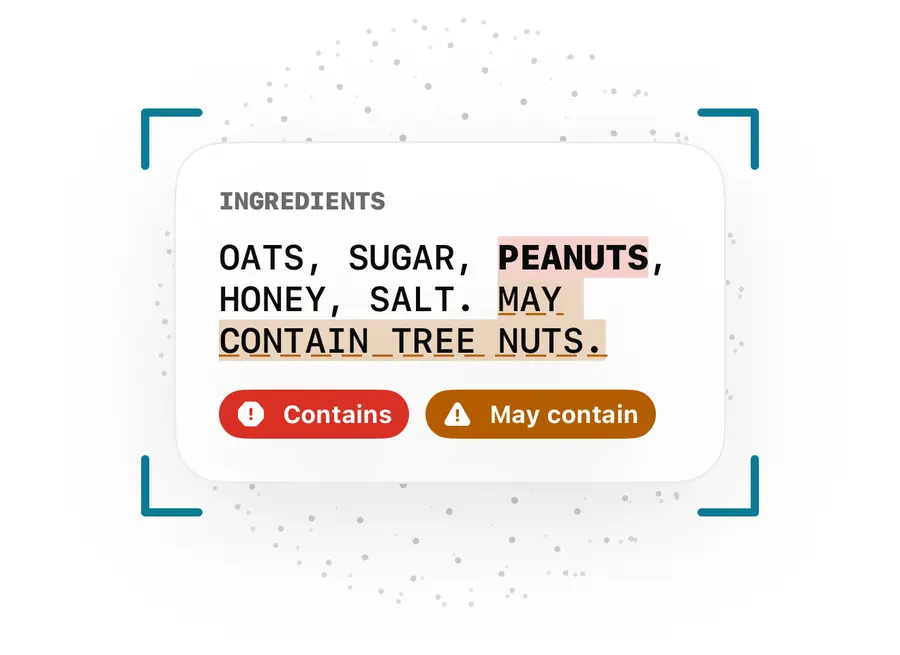
AllergenLens recognises E-numbers such as E322 or E1105 and tells you what they are made from or can come from. When a word only looks like an allergen, appears outside the ingredient list, or is printed in capitals but isn't in the word list, the app marks it Unclear and asks you to check the label. Every result notes which version of the allergen word list was used.
Allergens rarely appear only under their plain names. Milk turns up as whey or casein, eggs as lysozyme, sulfites as E220 to E228. AllergenLens carries a word list of these other names in nine languages, and it is open about the words it isn't sure of. This post explains how that works.
E-numbers and what they are made from
The app reads E-numbers however the label prints them: E322, e 471, or the international INS 1105 style. It also fixes common camera slips, such as a letter O read in place of a zero, before looking the code up.
Each code in the list is one of three kinds:
| Kind | What the app says | Result |
|---|---|---|
| Made from an allergen | E1105 (lysozyme) is made from eggs. | Contains |
| Can come from an allergen | E322 (lecithin) can come from soy or eggs. Check with the maker. | May contain |
| No link to your profile | Nothing is flagged | No finding |
Some examples from the list:
- Sulfites: E220 to E228 are sulfites, so they count as Contains. Some caramel colours, such as E150b and E150d, can be made with sulfites and show as May contain.
- Eggs: E1105 (lysozyme) is made from eggs.
- Soy or eggs: E322 (lecithin) can come from either.
- Milk: E966 (lactitol) can come from milk.
- Diets: for a diet such as vegan, codes such as E120 (carmine), E441 (gelatin), E901 (beeswax) and E904 (shellac) are flagged, and emulsifiers in the E470s can come from animal sources.
Can come from means the label alone can't tell you the source. Only the maker can, which is why the app says Check with the maker. Our E-number sources guide goes further.
Other names and derived ingredients
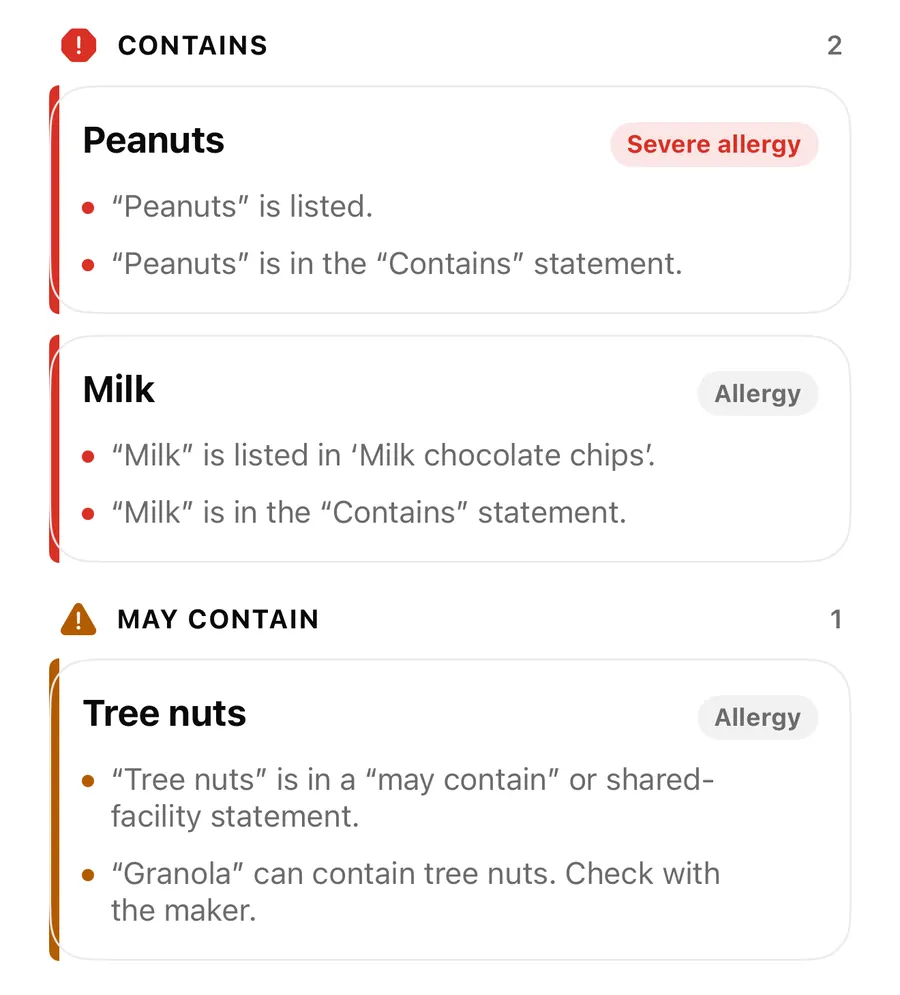
The same logic covers ordinary words. An ingredient that is itself an allergen counts as Contains, and the reason tells you why, for example “Milk” is listed in ‘Milk chocolate chips’. An ingredient that may be made with an allergen counts as May contain: “Granola” can contain tree nuts. Check with the maker. For vegans, some words carry can be animal-derived in the same way. How precautionary lines and free-from claims fit in is covered in may contain, contains and free-from.
When a word is Unclear
AllergenLens would rather ask than guess. A word is marked Unclear when:
- It looks like an allergen but isn't quite one. The camera may have misread a letter. The app says We read “…”, which looks like “…”. Check the label.
- It sits outside the ingredient list, for example in a product name or serving tip. The reason says it appears outside the ingredient list.
- It is stressed but unknown. A word printed in capitals inside a mostly lower-case list is often an allergen. If the word list doesn't know it, you see Emphasized word not recognized with the word.
- The Contains line names something not found in the list. The app says it may be under a name the word list doesn't know.
When the misread is obvious, such as m1lk in a crisp photo, the app reads it as milk and says We read “m1lk” as “milk”, so you can see what it assumed. If part of the label couldn't be read, an allergen the app would otherwise rule out is shown as Not confirmed, because part of the label couldn't be read.
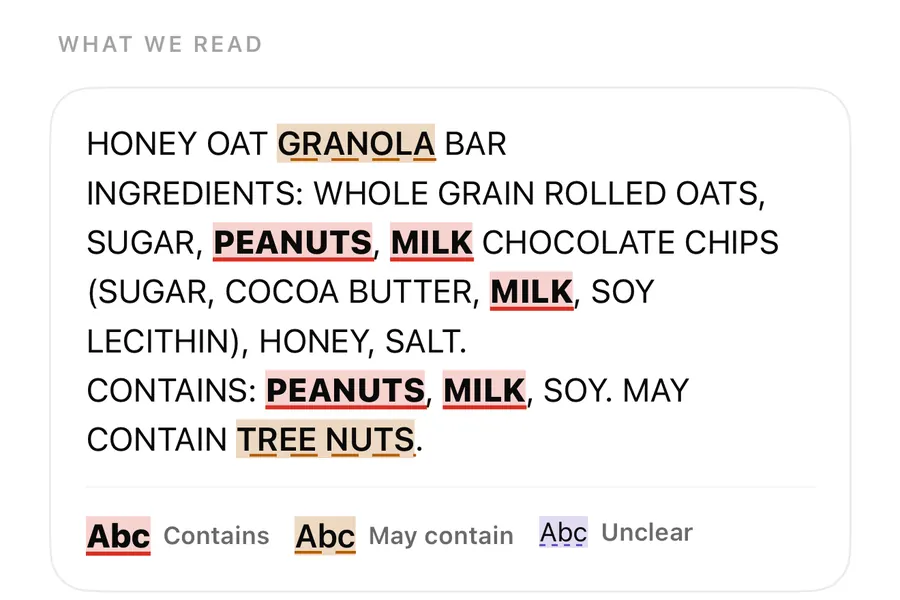
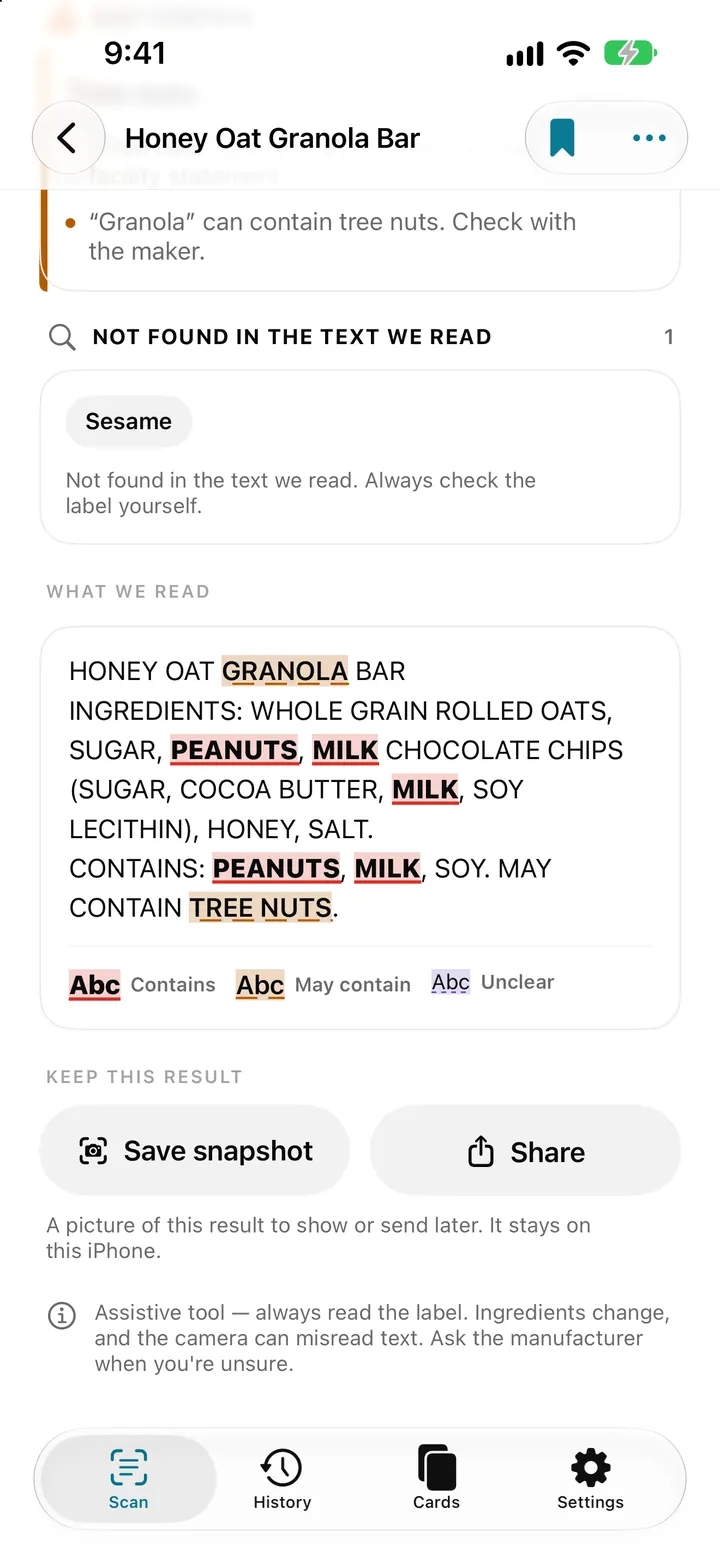
In What we read, Contains words are marked in red, May contain in orange, and Unclear words have a dotted underline, so you can find each one on the pack quickly. See highlights on the photo.
Check an Unclear or E-number finding
- Open the finding and read the reason under it.
- Tap Show on photo, or find the word in What we read.
- Compare the word with the pack. If it was misread, scan again in better light.
- For an E-number that can come from an allergen, check the maker's website or contact them.
- If a word should have been found and wasn't, tap Report a miss on the result.
The word list version
All of this comes from an allergen word list stored in the app. It has a version number, and only changes with an app update. Under each result you see Checked with allergen word list v2 (or whichever version is current), and when the scan was made with a different version, which one.
In Settings, Allergen word list shows the version and how many terms it holds, with What's new in the word list listing terms added or removed after an update. When you open an older scan, AllergenLens checks it again with the current list and tells you if the result changed. That's covered in word list updates.
FAQ
Why is E322 shown as May contain and not Contains?
Lecithin can be made from soy or eggs, among other sources. The label rarely says which, so the app flags it and asks you to check with the maker.
What should I do with an Unclear word?
Read that word on the pack yourself. If the camera misread it, scan again in better light. If the word is unfamiliar, ask the manufacturer.
Does the word list update by itself?
No. It changes only with an app update, and results are checked again with the new list when you open them.
Can I add a word the list doesn't know?
Yes. Add it under Your own ingredients in your profile, and it is checked on every scan. You can also report a miss so it can be considered for the list.
Download AllergenLens and see what the E-numbers on your next label mean.
Keep reading
May contain, Contains lines and free-from claims: how AllergenLens reads them
How AllergenLens handles may contain and shared-facility warnings, the Contains line, ingredients that can come from an allergen, and free-from claims.
ReadAllergen word list updates: how AllergenLens re-checks your saved scans
AllergenLens matches labels against a versioned allergen word list. When an update brings a new list, kept scans are re-checked and changed results are marked.
Read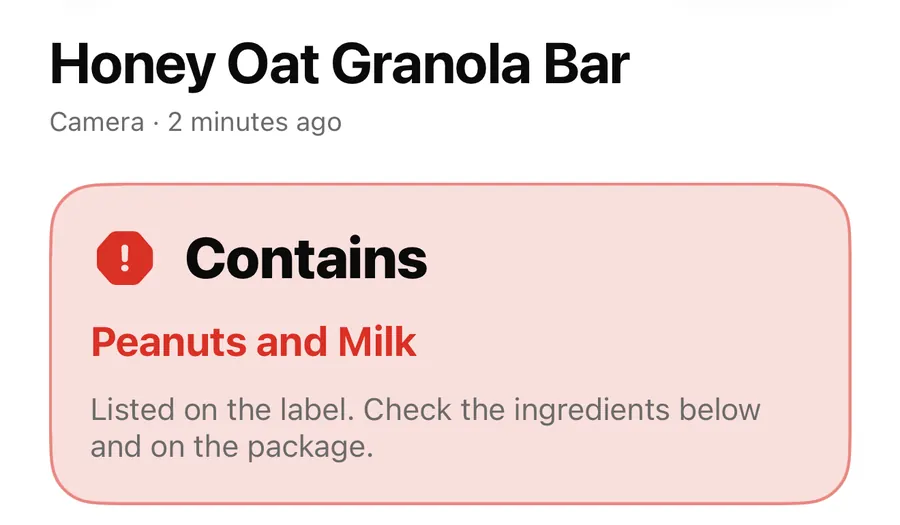
Explain in plain words: Apple Intelligence explanations in AllergenLens
On iPhones with Apple Intelligence, AllergenLens can explain a finding in plain words, on the device, marked AI-generated and based only on the reason shown.
ReadWhy E-numbers need context when you read a food label
Learn how to read E-numbers with AllergenLens, check the ingredient context and use current official sources instead of guessing from a code.
Read guide