How to review an allergy profile for a child
A child’s profile should be created and reviewed by an adult using the family’s professional guidance. Do not copy a sibling’s profile simply because one allergen is shared. AllergenLens can help read label text, but it does not manage a medical plan or decide what a child can eat.
Confirm the scope
Write down the groups, alternative terms, market and language that matter. If you add a custom ingredient, confirm its spelling and meaning. Do not expand the profile based only on an online list. When medical guidance changes, ask the appropriate professional before changing the profile.
Scan with an adult
Photograph ingredients, contains, may contain and the local label. Select the child’s profile, check coverage and open every highlight. See AllergenLens. Read the full sentence on the package, not just the coloured result. “Not found” does not mean the label is safe.
Record uncertainty
Use clear states such as needs manufacturer confirmation, unclear image, unread text or skipped product. Record the date and market when useful. Share one checklist with caregivers rather than disconnected screenshots. Explain which text the app read and which parts an adult confirmed.
Prepare for school and travel
A travel card can help communication, but it does not replace school procedures, restaurant questions or an emergency plan. Prepare medicines and contacts according to professional instructions. Check the actual package, especially in another country. If staff are unsure, choose a confirmed alternative.
Review regularly
Set a review date for profiles, history and saved products. Remove old profiles so caregivers cannot choose the wrong one. Scan again when packaging changes, limit shared personal data and keep access with people who need it.
Warning: Adults and qualified professionals remain responsible for the safety plan. AllergenLens is not a doctor and does not decide what a child may eat.
A practical workflow for this topic
When you search for “How to review an allergy profile for a child”, the useful answer is usually a repeatable way to check the detail that matters. Use this AllergenLens guide as a starting point, then confirm the current source before acting. The product can organize information and shorten a review; it cannot fill in missing facts or replace a professional decision.
Quick checklist before you act
- Select the profile for the person who will use the food.
- Photograph the complete label, including ingredients and warning statements.
- Review coverage and each highlight against the original package.
- Ask the manufacturer or follow the personal medical plan when information is incomplete.
Keep the decision traceable: record the version, date and source you relied on when the detail may change.
Detailed step-by-step workflow
This extended section turns “How to review an allergy profile for a child” into a repeatable AllergenLens workflow. The goal is not to create a longer checklist for its own sake. It is to make the important inputs visible, show what should be checked first, and leave a useful record of what was known at the time. That approach is especially helpful for food-label scanning, allergy profiles, ingredient coverage and warning review. Read the steps in order the first time, then return to the relevant step when the situation changes.
Step 1: Define the question and the record you need.
Start with this action in AllergenLens, then pause long enough to verify the result against the original source or observation. For “How to review an allergy profile for a child”, record the date, the relevant context and anything that was not available. A structured record is more useful when another person can understand what was checked without guessing what happened between two screenshots, notes or exports.
Step 2: Gather the original inputs before interpreting the result.
Start with this action in AllergenLens, then pause long enough to verify the result against the original source or observation. For “How to review an allergy profile for a child”, record the date, the relevant context and anything that was not available. A structured record is more useful when another person can understand what was checked without guessing what happened between two screenshots, notes or exports.
Step 3: Review the result and record uncertainty or missing data.
Start with this action in AllergenLens, then pause long enough to verify the result against the original source or observation. For “How to review an allergy profile for a child”, record the date, the relevant context and anything that was not available. A structured record is more useful when another person can understand what was checked without guessing what happened between two screenshots, notes or exports.
Step 4: Save the version, date and next action for later comparison.
Start with this action in AllergenLens, then pause long enough to verify the result against the original source or observation. For “How to review an allergy profile for a child”, record the date, the relevant context and anything that was not available. A structured record is more useful when another person can understand what was checked without guessing what happened between two screenshots, notes or exports.
Quality checks and common mistakes
Long-form guidance is most useful when it explains the boundaries as well as the happy path. Before relying on a AllergenLens record, run the checks below. They help separate a missing input from a negative result, an approximate value from a verified value, and a convenient summary from the original evidence.
Check 1
Do not start with the conclusion. Write down the question, the person or property involved and the time period first. In AllergenLens, keep the source, context and limitation close to the record so the next review can reproduce the decision.
Check 2
Do not mix old and new records without a date. Keep the original observation visible when you add a correction or update. In AllergenLens, keep the source, context and limitation close to the record so the next review can reproduce the decision.
Check 3
Do not treat a missing field as proof that the event, ingredient, expense or condition does not exist. In AllergenLens, keep the source, context and limitation close to the record so the next review can reproduce the decision.
Check 4
Do not share a polished summary before checking the original image, note, label, receipt or export behind it. In AllergenLens, keep the source, context and limitation close to the record so the next review can reproduce the decision.
Check 5
Do not use an app record as a substitute for a professional, medical, legal, financial or safety decision when the situation requires one. In AllergenLens, keep the source, context and limitation close to the record so the next review can reproduce the decision.
Frequently asked questions
What should I verify before I rely on this guide?
For “How to review an allergy profile for a child”, use AllergenLens to organize the observation and then verify the part that affects the decision. If a source, image, measurement or input is incomplete, mark it as incomplete instead of silently filling the gap. Add a date and a short note about the method used. When the consequence is important or the question sits outside the product’s purpose, confirm it with the current official source or an appropriate professional.
What should I do when the information is incomplete?
For “How to review an allergy profile for a child”, use AllergenLens to organize the observation and then verify the part that affects the decision. If a source, image, measurement or input is incomplete, mark it as incomplete instead of silently filling the gap. Add a date and a short note about the method used. When the consequence is important or the question sits outside the product’s purpose, confirm it with the current official source or an appropriate professional.
How can I make the record easier to compare later?
For “How to review an allergy profile for a child”, use AllergenLens to organize the observation and then verify the part that affects the decision. If a source, image, measurement or input is incomplete, mark it as incomplete instead of silently filling the gap. Add a date and a short note about the method used. When the consequence is important or the question sits outside the product’s purpose, confirm it with the current official source or an appropriate professional.
When should I ask for another source or a specialist?
For “How to review an allergy profile for a child”, use AllergenLens to organize the observation and then verify the part that affects the decision. If a source, image, measurement or input is incomplete, mark it as incomplete instead of silently filling the gap. Add a date and a short note about the method used. When the consequence is important or the question sits outside the product’s purpose, confirm it with the current official source or an appropriate professional.
A practical review before you finish
Before closing this topic, read the title “How to review an allergy profile for a child” as a question rather than a promise. Confirm the current version of the information, check the original evidence, and record the next action in AllergenLens. A useful record says what was observed, when it was observed, what remains uncertain and who should review it next. This makes the article easier to apply today and easier to revisit when the facts change.
See the product in action
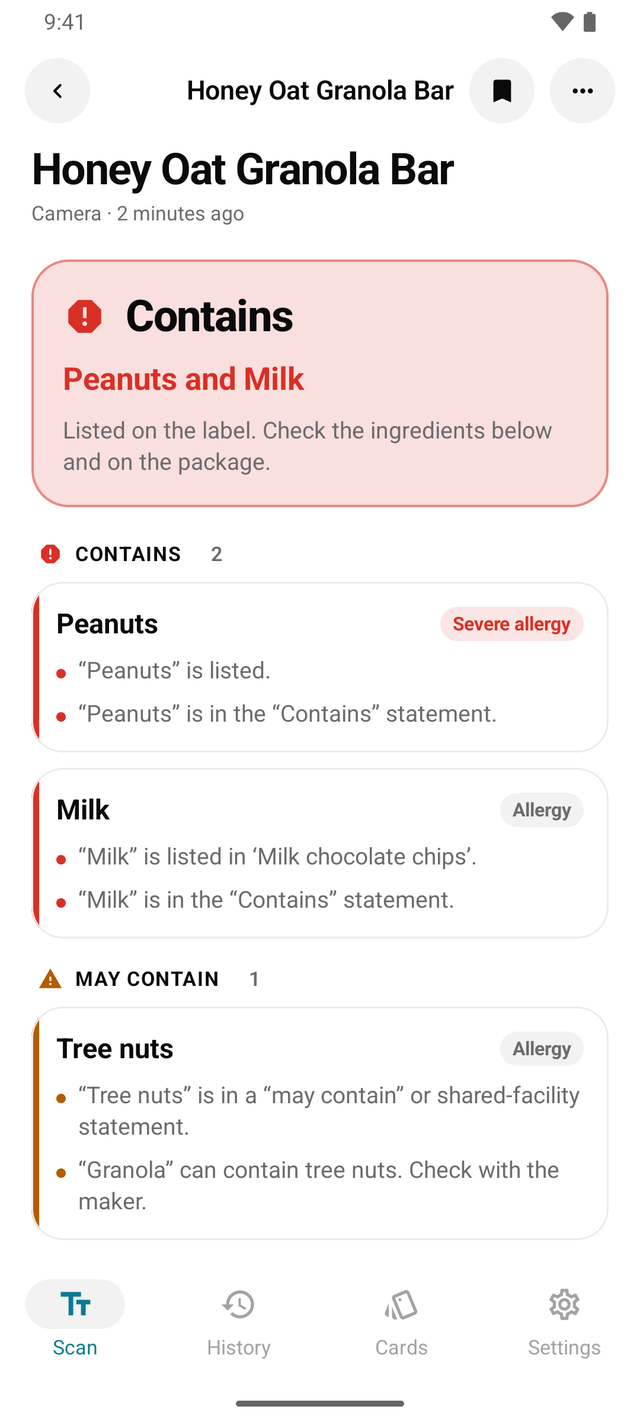
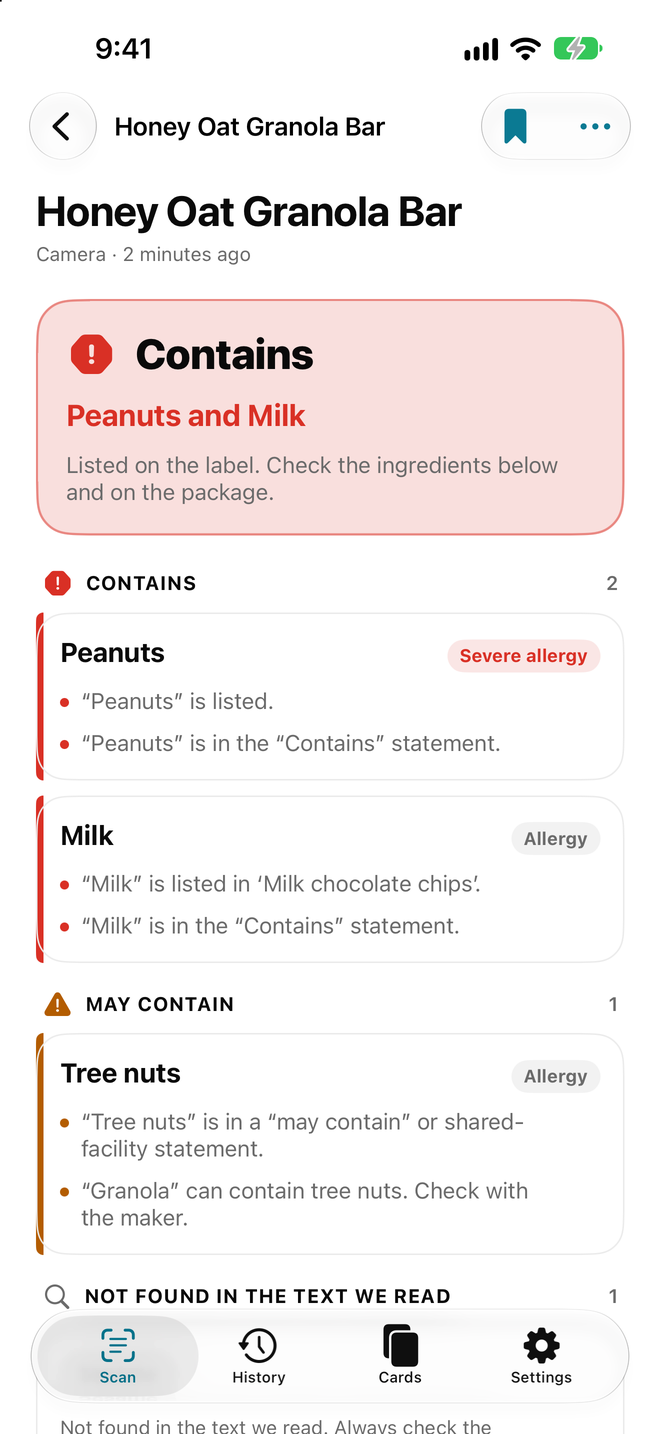
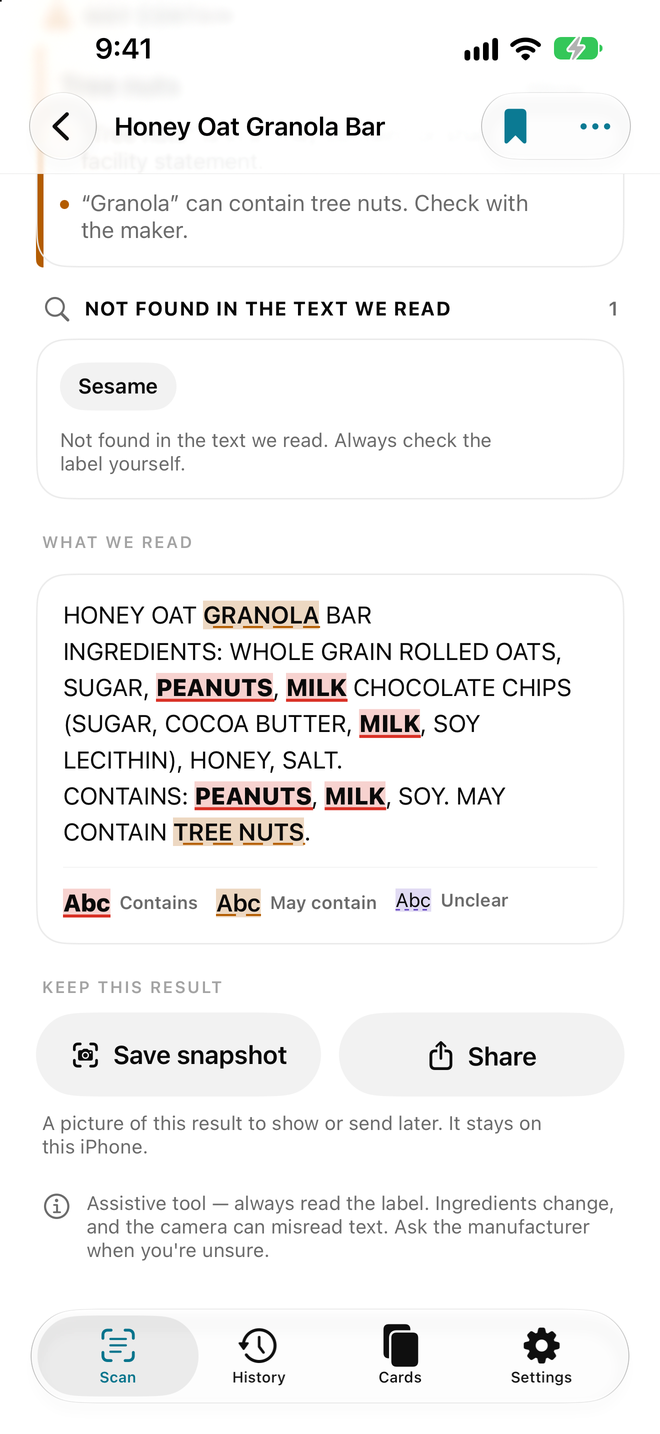
Related guides
What does ‘contains’ mean on a food label?
Learn how to read a contains statement with ingredients, may contain warnings, coverage and an AllergenLens profile.
What Does a Coverage Indicator Do in a Label-Reading App?
Understand the AllergenLens coverage indicator, why coverage can be low, and when to retake a photo, read manually, or ask the manufacturer.
What Should You Do When AllergenLens Coverage Is Low?
How to respond when AllergenLens reads only part of a label: retake the photo, read manually, and verify with an appropriate source.
Feature walkthroughs
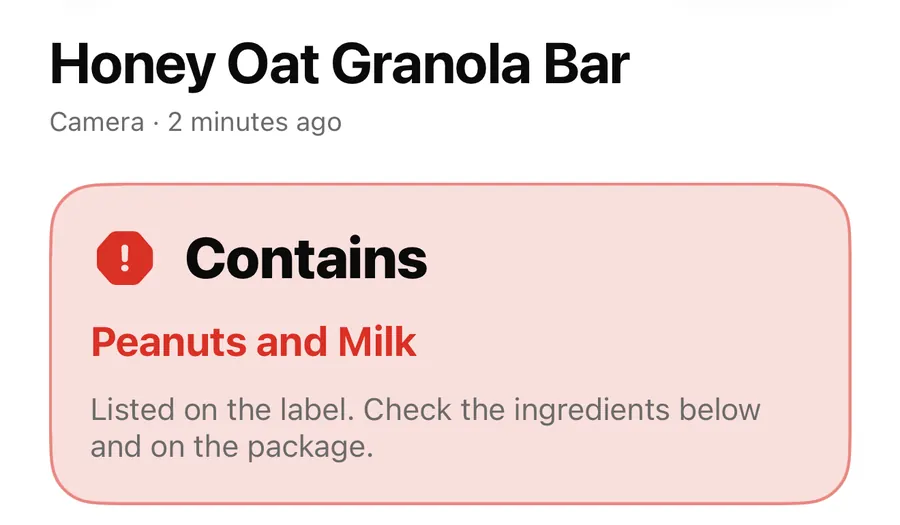
Contains, May contain, Couldn't read clearly: AllergenLens results explained
What each of the four AllergenLens result states means, how the card at the top is chosen, and what the app tells you when part of a label couldn't be read.
Read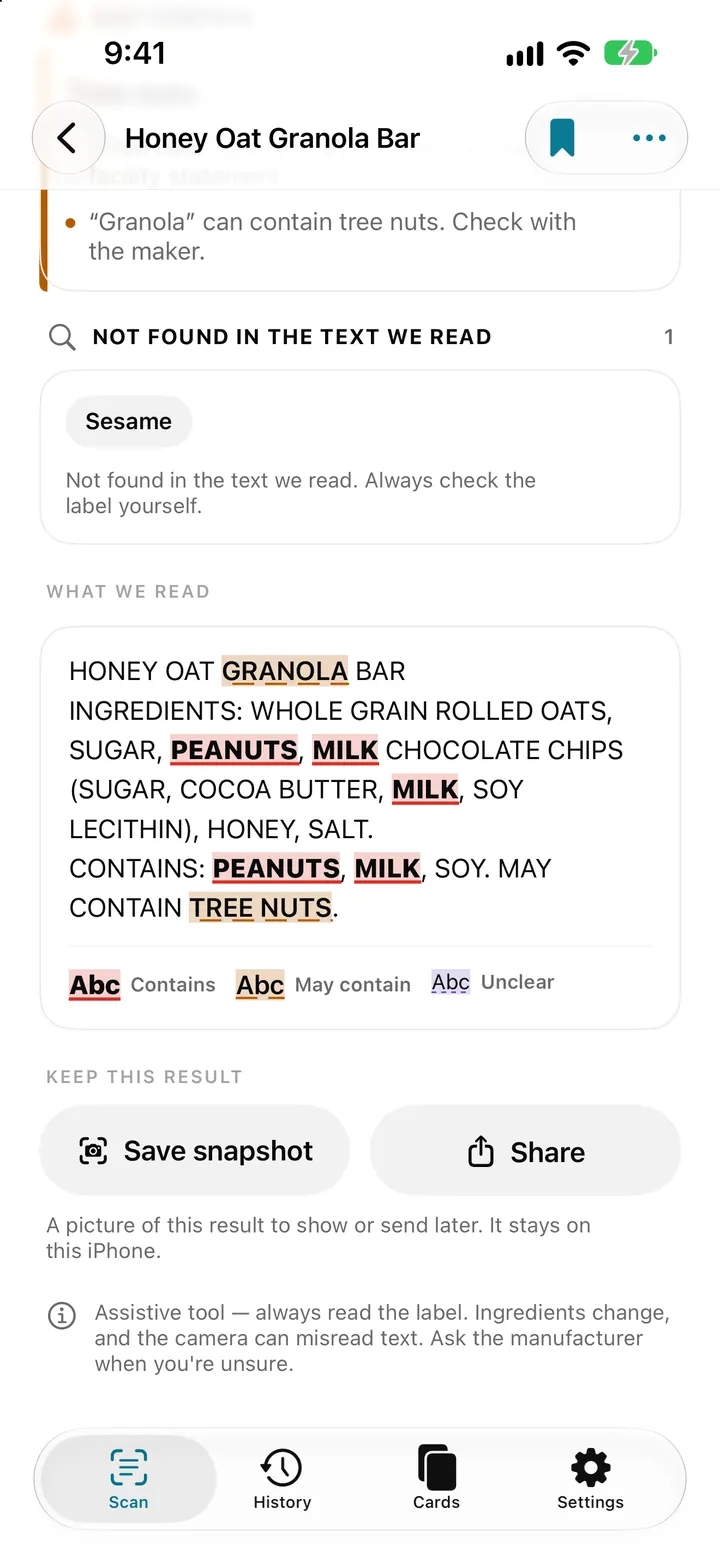
See every match on the label: highlights, Show on photo and Read aloud
AllergenLens marks each match in the text it read and on your label photo, so you can check it against the pack, then save a snapshot or hear it read aloud.
Read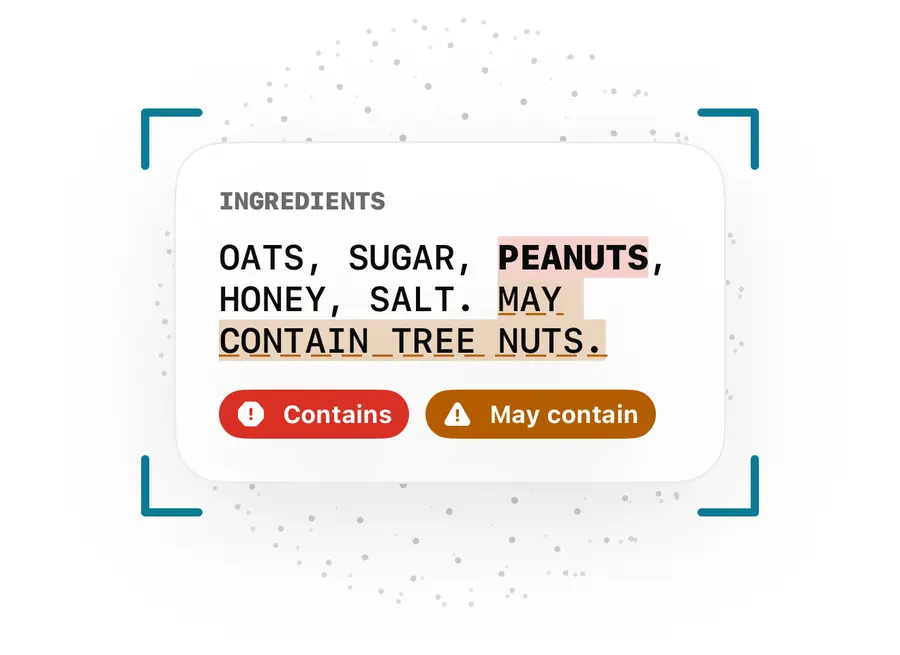
May contain, Contains lines and free-from claims: how AllergenLens reads them
How AllergenLens handles may contain and shared-facility warnings, the Contains line, ingredients that can come from an allergen, and free-from claims.
Read